Webapp Parts & Types

Comparison Tables

web

Comparison tables convert. They're also the most lied-on element on the internet. Earn trust by listing what you don't do, not just what you do.

  • Variation 01

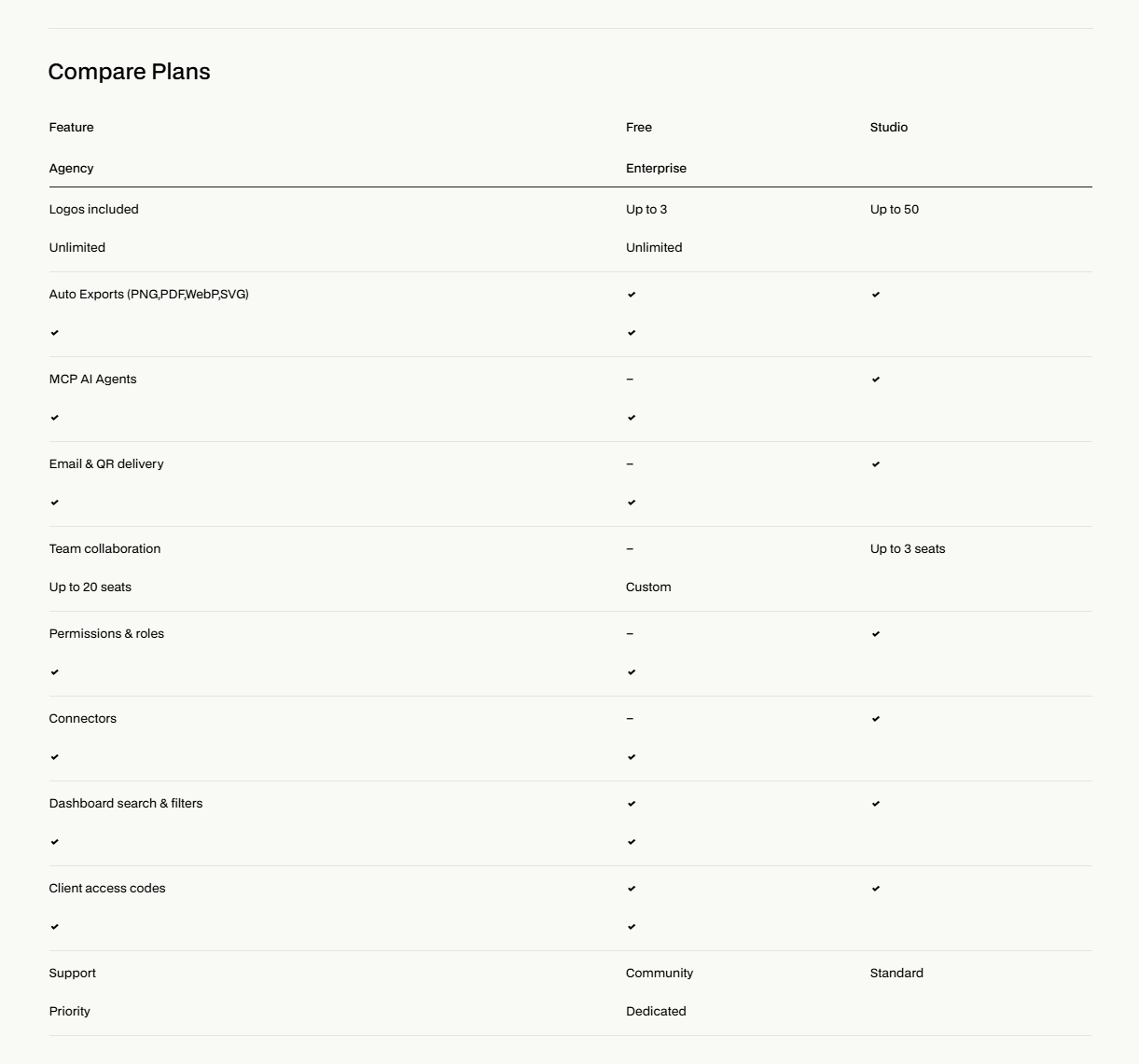
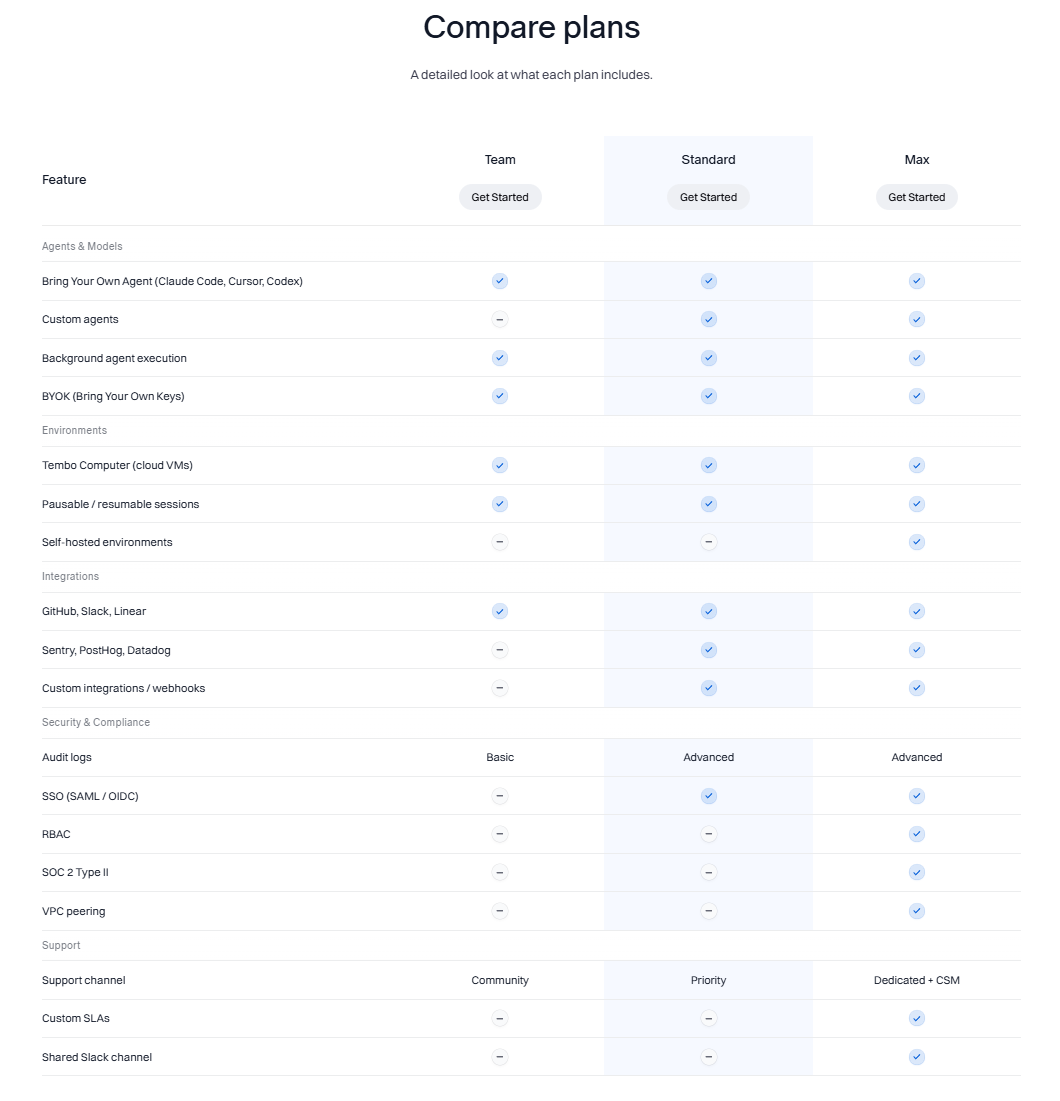
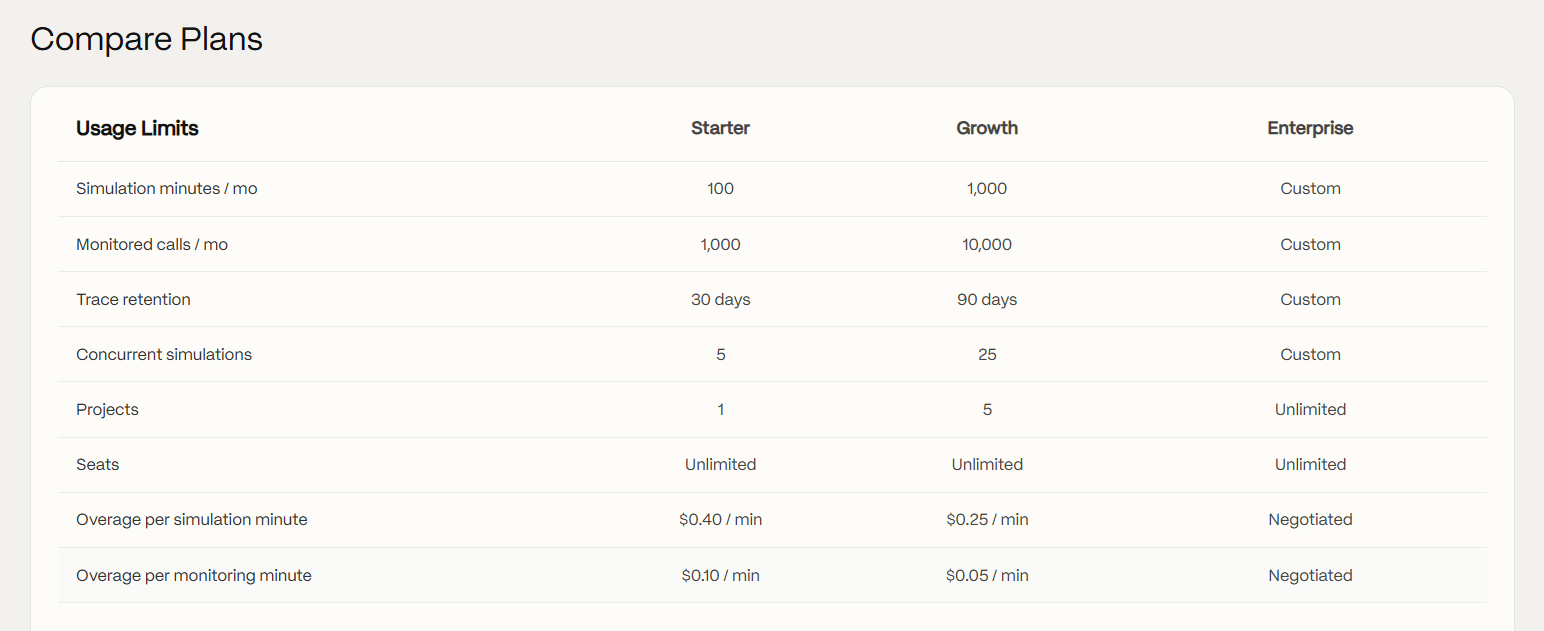
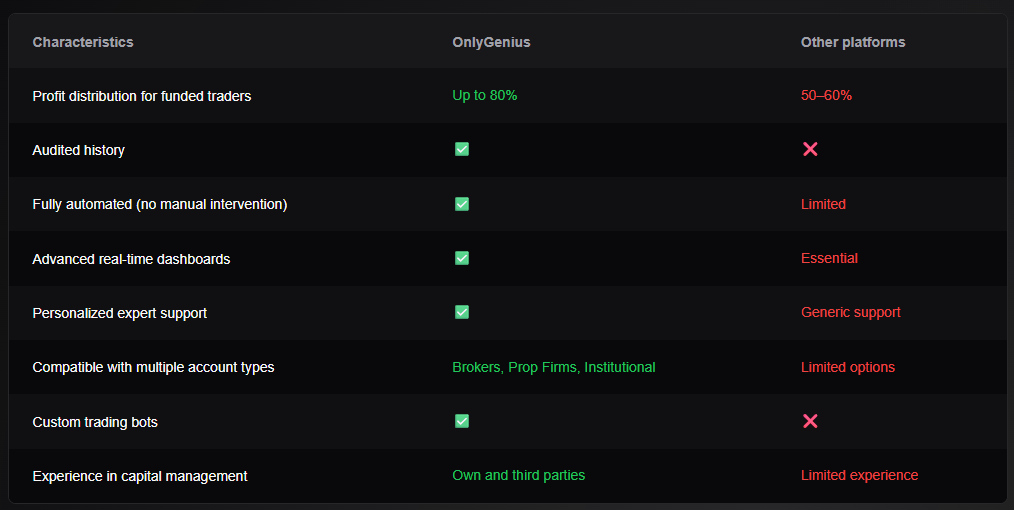
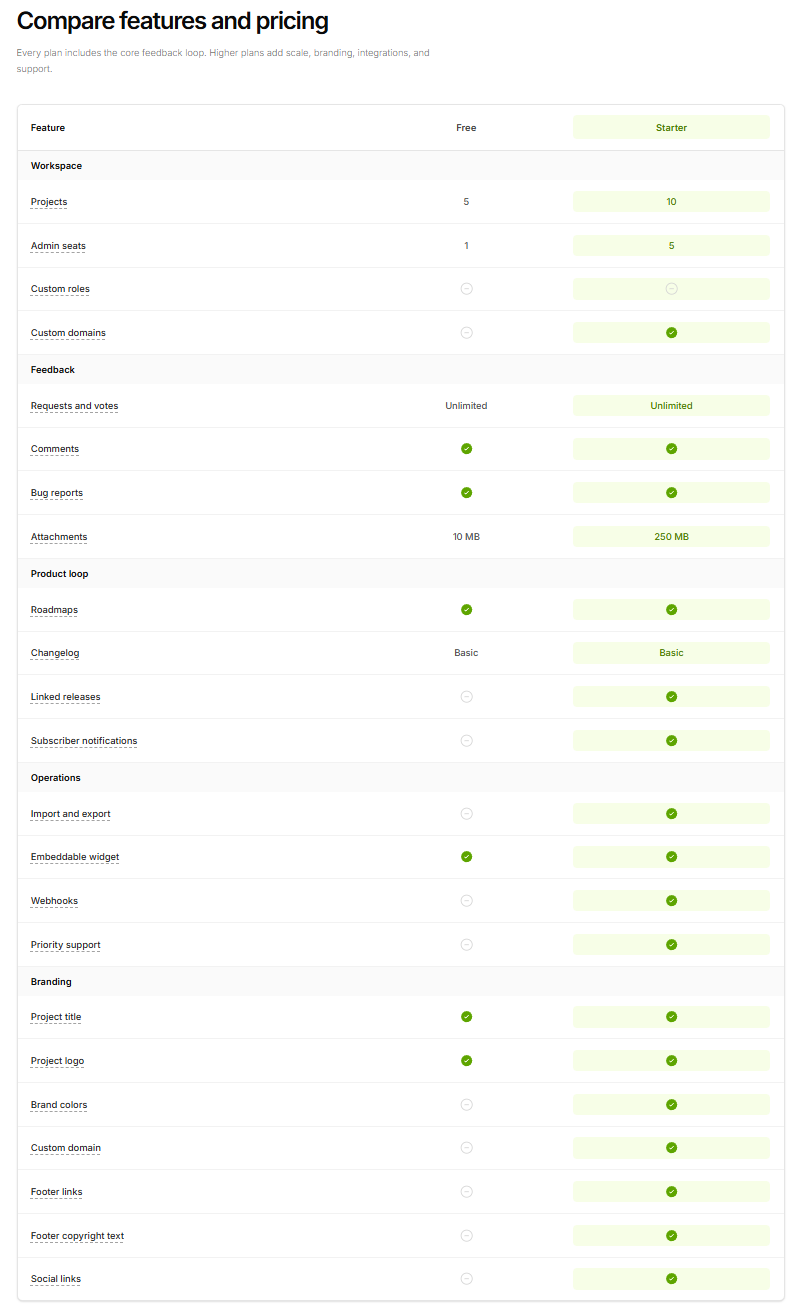
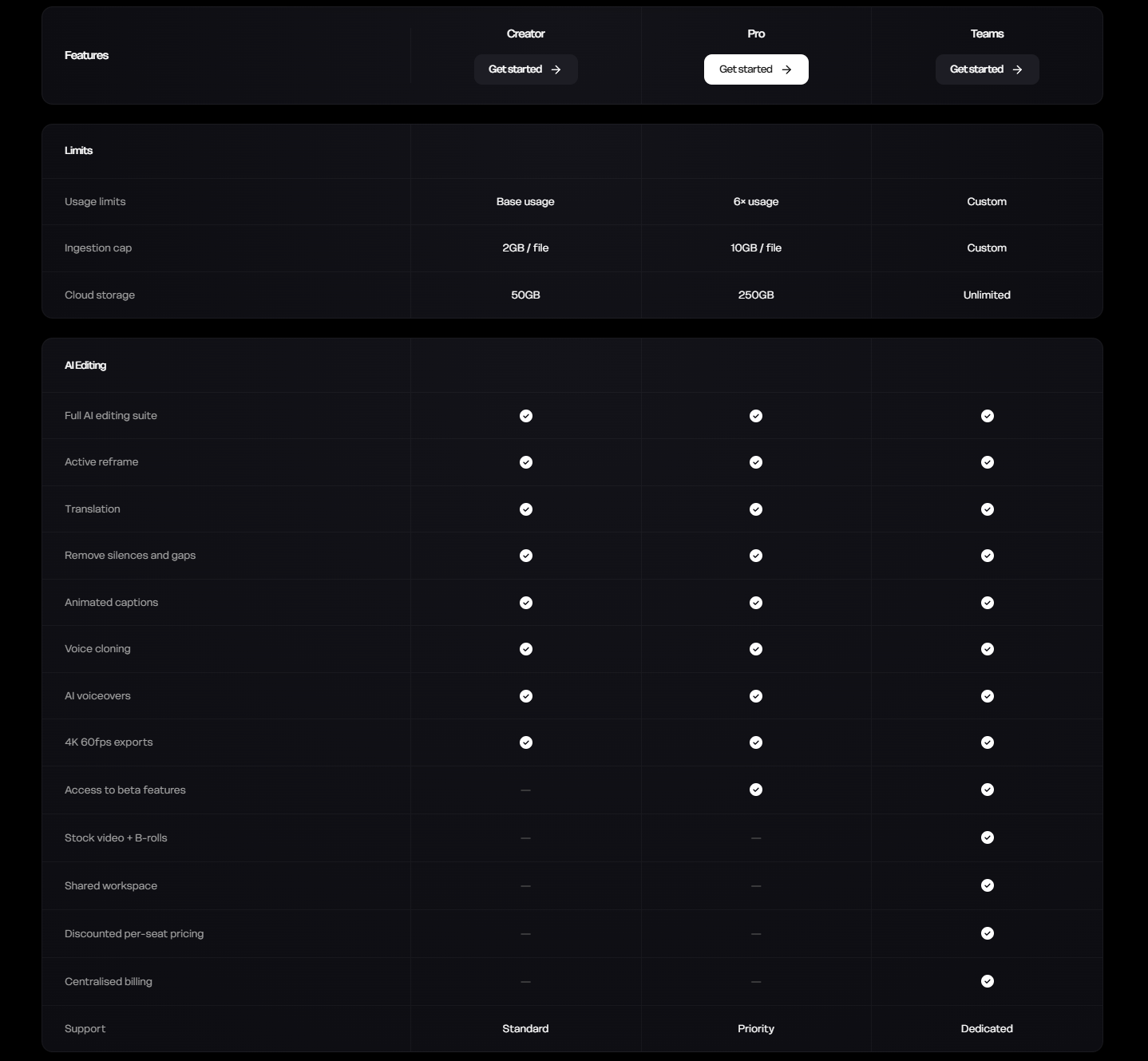
    Feature Matrix

    aka Plan Compare Grid · Tier Matrix

    Screenshot of linear.applinear.app

    Rows of features down the left, columns for each plan or competitor. Sticky header, checkmarks, dashes, occasional value cells.

    When to use

    When pricing tiers differ on more than 4 axes. Below 4, use a pricing card grid instead.

    Anatomy

    • Sticky plan-column header
    • Grouped feature sections (Core, Collab, Admin)
    • Boolean ✓ / - / value cells
    • Highlighted recommended column
    • CTA repeated at top and bottom

    Prompt

    Build a feature matrix table for comparing 4 plans. First column = feature name with optional info tooltip; subsequent columns = plan tiers. Section headings (Core, Collaboration, Security) span all columns with a different background. Cells contain either a check (small, muted), an em-dash for unavailable, or a value (e.g. '10 GB'). One column is highlighted as recommended with a soft accent background and a 'Most popular' ribbon at top. Plan column headers are sticky during scroll. Hovering any row tints the whole row.

    Polish & tuning

    2 of 4 unlocked

    Motion

    Ease-out for entrance, ease-in-out for state. 200ms hover, 400–600ms layout. Stagger children at 30–60ms so groups feel intentional, not synchronized.

    Spacing

    Pick one scale (4 or 8) and don't mix. Section padding 96–128px desktop, 48–64px mobile. Headline sits ~24px above the subhead; subhead ~32px above the CTA cluster.
    Pro

    Unlock the rest of the tuning notes.

    Buy Pro
  • Variation 02

    Us vs. Them

    aka Competitor Compare · Switcher Table

    Screenshot of arc.netarc.net

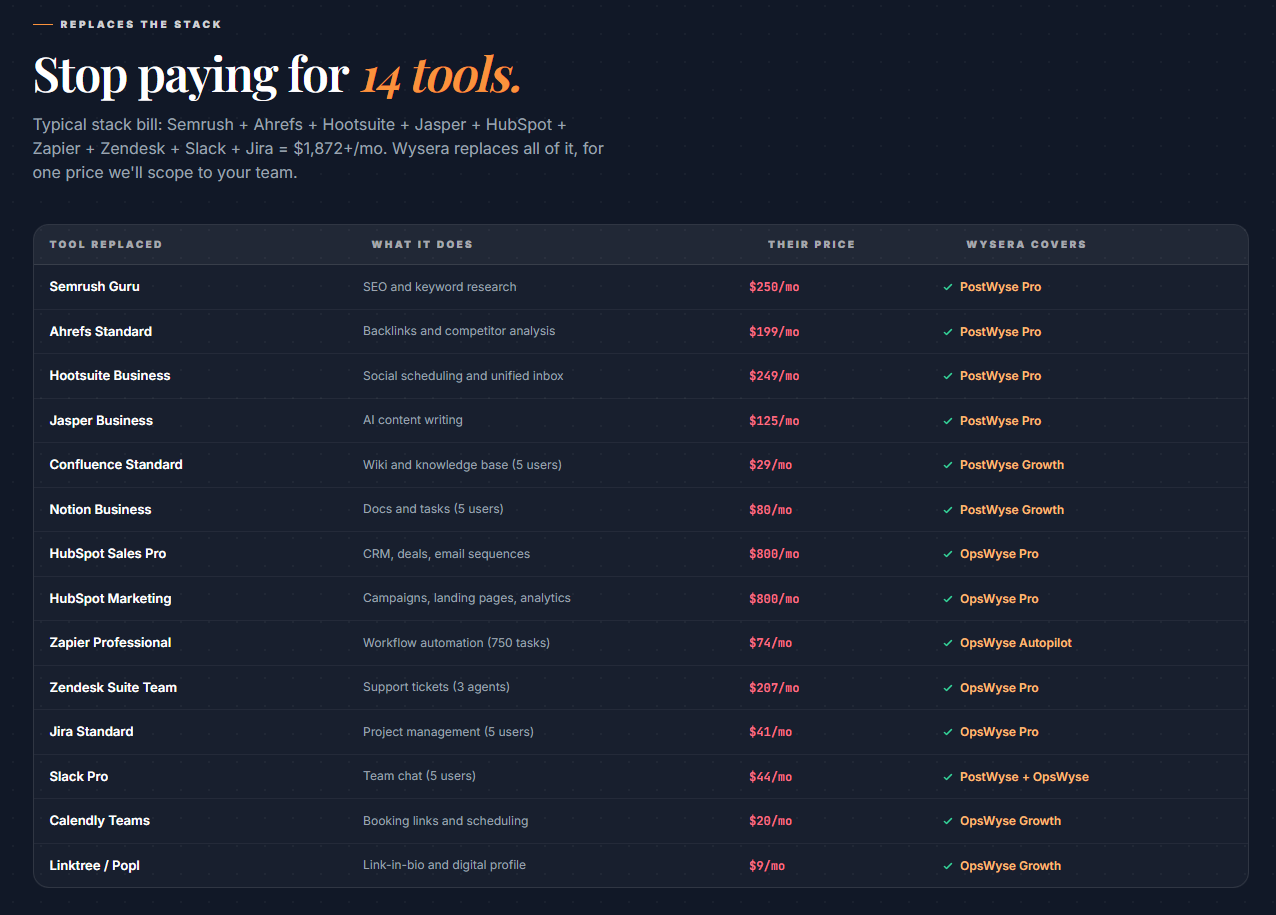
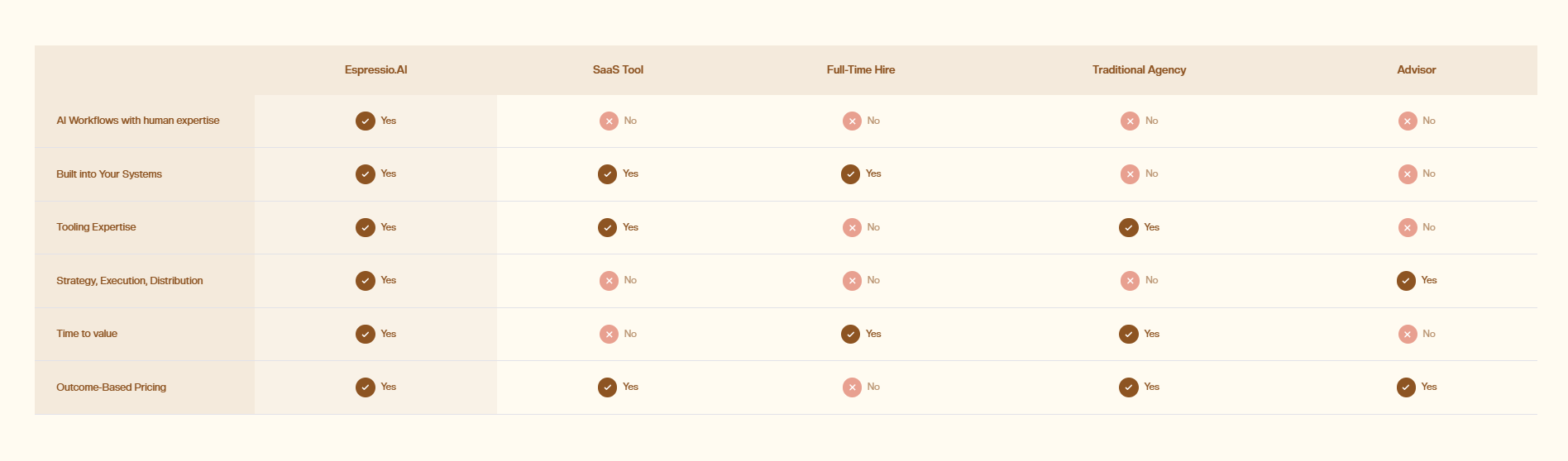
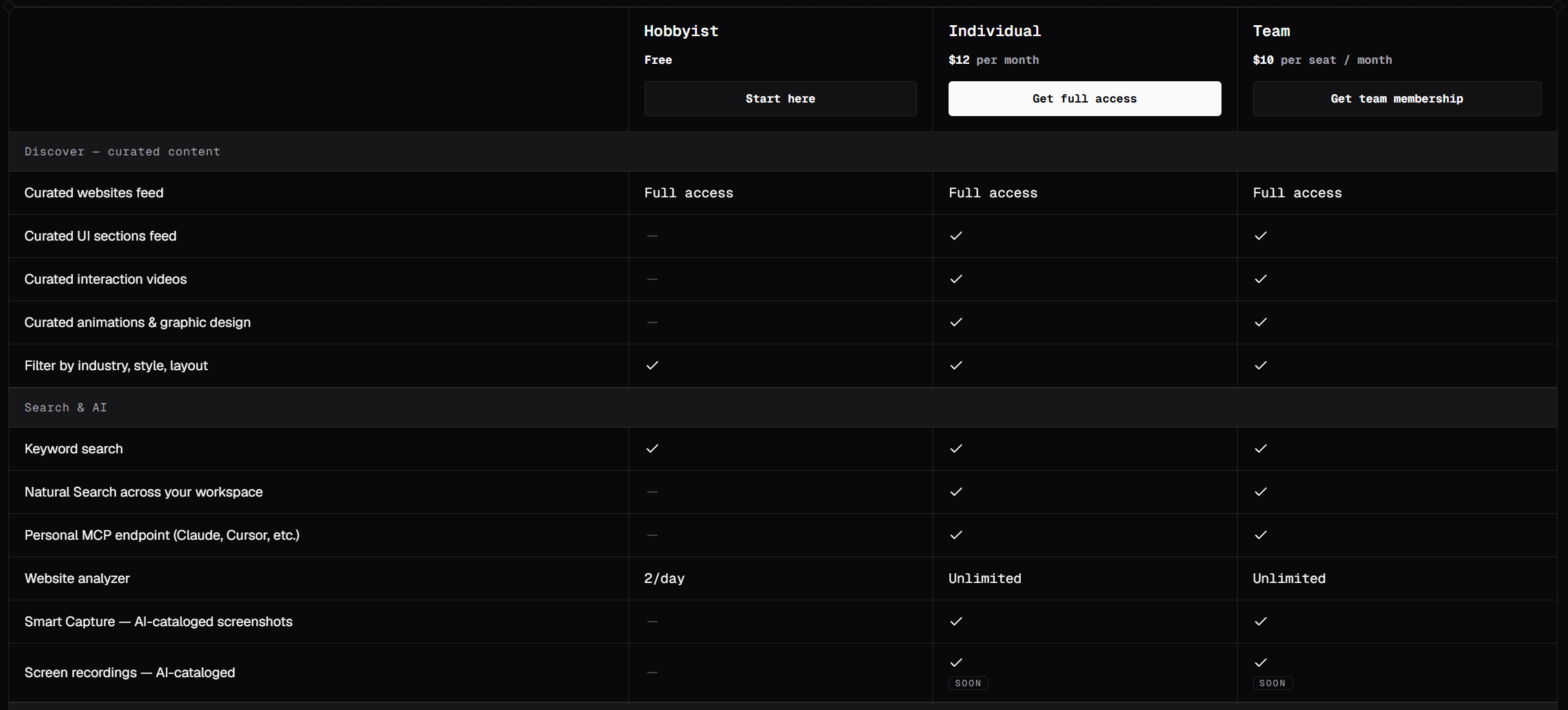
    Two columns: your product on the left, the incumbent on the right. Each row is a head-to-head feature claim.

    When to use

    When you're a challenger and the comparison is genuinely flattering. Be specific. Vague swipes read as insecure.

    Anatomy

    • Two-column layout with brand wordmarks at top
    • Row labels in the middle gutter
    • Your column subtly accented, theirs neutral
    • Specific, measurable claims per row
    • Footer with the migration CTA

    Prompt

    Build an Us-vs-Them comparison section. Three-column grid: left feature label, middle = your product with subtle accent background, right = competitor with neutral background. At the top of each product column show the wordmark. Each row makes a specific, measurable claim (e.g. 'Cold boot under 50ms') with a check on the winning side and an em-dash on the losing side, in the muted color. Below the table, a 'Migrate in under 10 minutes →' CTA with a small import-from icon.

    Polish & tuning

    2 of 4 unlocked

    Motion

    Ease-out for entrance, ease-in-out for state. 200ms hover, 400–600ms layout. Stagger children at 30–60ms so groups feel intentional, not synchronized.

    Spacing

    Pick one scale (4 or 8) and don't mix. Section padding 96–128px desktop, 48–64px mobile. Headline sits ~24px above the subhead; subhead ~32px above the CTA cluster.
    Pro

    Unlock the rest of the tuning notes.

    Buy Pro
  • Variation 03

    Side-by-Side Product

    aka Diptych Compare · Before / After

    Screenshot of apple.comapple.com

    Two large product shots side by side, with a draggable slider in the middle to reveal the difference.

    When to use

    When the difference is visual - design, output quality, generated artwork. Pointless for behind-the-scenes claims.

    Anatomy

    • 16:9 frame containing two stacked images
    • Centered vertical divider with a draggable handle
    • Labels 'Before' / 'After' fade based on slider position
    • Slider snaps to 0 / 50 / 100 with subtle ticks
    • Touch + keyboard support (← → arrows)

    Prompt

    Build a side-by-side comparison slider. 16:9 frame containing two absolutely-positioned images, the right one clipped by a CSS clip-path tied to the slider value. A vertical divider rendered as a 2px line with a circular drag handle (24px) centered on it. The handle is keyboard-accessible (Tab to focus, ← → to move 4% per step), shows a subtle drop shadow, and snaps to 0/50/100 when within 6%. Labels 'Before' (top-left of left image) and 'After' (top-right of right image) cross-fade their opacity in/out as the slider passes 50%.

    Polish & tuning

    2 of 4 unlocked

    Motion

    Ease-out for entrance, ease-in-out for state. 200ms hover, 400–600ms layout. Stagger children at 30–60ms so groups feel intentional, not synchronized.

    Spacing

    Pick one scale (4 or 8) and don't mix. Section padding 96–128px desktop, 48–64px mobile. Headline sits ~24px above the subhead; subhead ~32px above the CTA cluster.
    Pro

    Unlock the rest of the tuning notes.

    Buy Pro
  • Variation 04

    Radar Chart Compare

    aka Spider Compare · Radar Plot

    Screenshot of linear.applinear.app

    Two products mapped onto the same 5–8 axis radar chart so silhouettes tell the story at a glance.

    When to use

    When the strengths are uneven across axes and a table buries the asymmetry.

    Anatomy

    • 5–8 axis labels around a pentagon/heptagon
    • Two overlapping filled polygons (you vs them)
    • Legend with color swatches
    • Subtle grid lines

    Prompt

    Preview · Pro to copy
    Pro

    Unlock the full prompt.

    Buy Pro

    Polish & tuning

    2 of 4 unlocked

    Motion

    Ease-out for entrance, ease-in-out for state. 200ms hover, 400–600ms layout. Stagger children at 30–60ms so groups feel intentional, not synchronized.

    Spacing

    Pick one scale (4 or 8) and don't mix. Section padding 96–128px desktop, 48–64px mobile. Headline sits ~24px above the subhead; subhead ~32px above the CTA cluster.
    Pro

    Unlock the rest of the tuning notes.

    Buy Pro
  • Variation 06

    Row-Flip Comparison

    aka Pro/Con Pair · Stacked Compare Rows

    Screenshot of arc.netarc.net

    Two stacked rows per feature. Your row above the competitor row. With the comparison anchored row-by-row.

    When to use

    Mobile-first compare pages where horizontal scrolling on a matrix is painful.

    Anatomy

    • Feature label spans both rows
    • Top row: your product (subtle accent background)
    • Bottom row: competitor (neutral background)
    • Per-row content can be text, check, or short value

    Prompt

    Build a stacked-row comparison. Each comparison feature is a card with: a small uppercase label at the top ('Cold boot'), a pair of stacked rows below. Top row has your wordmark + a value/claim with a check; bottom row has the competitor wordmark + their value/claim. Your row has a soft accent left-border, theirs is neutral. Mobile-friendly: each card is full-width and stacks naturally; no horizontal scroll required.

    Polish & tuning

    2 of 4 unlocked

    Motion

    Ease-out for entrance, ease-in-out for state. 200ms hover, 400–600ms layout. Stagger children at 30–60ms so groups feel intentional, not synchronized.

    Spacing

    Pick one scale (4 or 8) and don't mix. Section padding 96–128px desktop, 48–64px mobile. Headline sits ~24px above the subhead; subhead ~32px above the CTA cluster.
    Pro

    Unlock the rest of the tuning notes.

    Buy Pro
  • Variation 07

    Interactive Toggle Compare

    aka Live Compare Switcher · Toggle Compare Demo

    Screenshot of cursor.comcursor.com

    A toggle that swaps the visible product UI between yours and the competitor in the same frame.

    When to use

    When the visual difference is large and a toggle is more honest than a table.

    Anatomy

    • Centered pill toggle (Yours / Theirs)
    • Single product visual area
    • Crossfade between the two visuals
    • Small captions appear/disappear per side

    Prompt

    Build an interactive compare toggle. Top: a pill toggle with two segments ('You' / 'Them'). Below: a single product visual area (16:9). On toggle, crossfade between two pre-rendered product UI screenshots (240ms). Below the visual, captions specific to each side appear ('Built-in search' for yours vs 'No search' for theirs). The toggle persists the selection in URL query.

    Polish & tuning

    2 of 4 unlocked

    Motion

    Ease-out for entrance, ease-in-out for state. 200ms hover, 400–600ms layout. Stagger children at 30–60ms so groups feel intentional, not synchronized.

    Spacing

    Pick one scale (4 or 8) and don't mix. Section padding 96–128px desktop, 48–64px mobile. Headline sits ~24px above the subhead; subhead ~32px above the CTA cluster.
    Pro

    Unlock the rest of the tuning notes.

    Buy Pro
  • Variation 08

    Compact Feature Strip

    aka Inline Compare Bar · Lean Compare Row

    Screenshot of vercel.comvercel.com

    A slim horizontal strip listing 4–6 features with your product's value beneath each.

    When to use

    When you want a lightweight compare anchor on the landing page, without committing to a full /vs page.

    Anatomy

    • Single row of 4–6 cells
    • Per-cell: feature name + big value
    • Subtle dividers between cells
    • Footer line: 'Independently measured vs the top 3 competitors'

    Prompt

    Build a compact feature strip for comparison. A single row of 5 cells, each cell has: a small 11px uppercase label ('Cold boot') and a 32px tabular-mono value ('47ms') below. Divider 1px between cells. Below the strip: a 12px muted note ('Independently benchmarked against the top 3 alternatives, March 2026'). Background bg-elev. The whole strip sits anchored to a section heading like 'Faster than the alternatives.'

    Polish & tuning

    2 of 4 unlocked

    Motion

    Ease-out for entrance, ease-in-out for state. 200ms hover, 400–600ms layout. Stagger children at 30–60ms so groups feel intentional, not synchronized.

    Spacing

    Pick one scale (4 or 8) and don't mix. Section padding 96–128px desktop, 48–64px mobile. Headline sits ~24px above the subhead; subhead ~32px above the CTA cluster.
    Pro

    Unlock the rest of the tuning notes.

    Buy Pro
  • Variation 09

    Weighted Score Compare

    aka Scorecard Compare · Index Compare

    Screenshot of g2.comg2.com

    Each product scored across criteria the user weights themselves. Totals recompute live.

    When to use

    Honest sales surfaces and procurement pages. Power-user feature that wins enterprise trust.

    Anatomy

    • Top: list of criteria with weight sliders
    • Bottom: bar chart of weighted totals per product
    • Detail table beneath showing per-criterion scores
    • Persisted in URL state

    Prompt

    Preview · Pro to copy
    Pro

    Unlock the full prompt.

    Buy Pro

    Polish & tuning

    2 of 4 unlocked

    Motion

    Ease-out for entrance, ease-in-out for state. 200ms hover, 400–600ms layout. Stagger children at 30–60ms so groups feel intentional, not synchronized.

    Spacing

    Pick one scale (4 or 8) and don't mix. Section padding 96–128px desktop, 48–64px mobile. Headline sits ~24px above the subhead; subhead ~32px above the CTA cluster.

    Pro

    Unlock the rest of the tuning notes.

    Buy Pro
  • Variation 10

    Migration-From Compare

    aka Switcher Compare · Move-In Compare

    Screenshot of linear.applinear.app

    Comparison framed as a migration path: 'Coming from X? Here's what changes.'. Paired with import tooling.

    When to use

    Switcher products in mature categories - Postgres-to-Postgres, Slack-to-Discord. Pair with one-click import.

    Anatomy

    • Headline: 'Coming from X?'
    • Side-by-side terminology mapping
    • Migration timeline (3–5 steps)
    • Primary CTA: 'Import from X'

    Prompt

    Build a migration-from comparison page section. Headline 'Coming from Jira?' at 36px serif. Below: a 2-column 'terminology' table mapping their concepts to yours (Epic → Project, Story → Issue, Sprint → Cycle). Then a 3-step migration timeline (1. Connect your account · 2. We import your data · 3. Switch over) with icons. Primary CTA at the bottom: 'Import from Jira' (full-width pill button) that opens a workspace-connect modal.

    Polish & tuning

    2 of 4 unlocked

    Motion

    Ease-out for entrance, ease-in-out for state. 200ms hover, 400–600ms layout. Stagger children at 30–60ms so groups feel intentional, not synchronized.

    Spacing

    Pick one scale (4 or 8) and don't mix. Section padding 96–128px desktop, 48–64px mobile. Headline sits ~24px above the subhead; subhead ~32px above the CTA cluster.

    Pro

    Unlock the rest of the tuning notes.

    Buy Pro