Webapp Parts & Types

Dashboards

webdesktopadmin

App shells, side panels, data tables, charts. Where marketing ends and craft begins.

  • Variation 01

    App Shell (Sidebar + Topbar)

    aka Workspace Layout

    Screenshot of linear.applinear.app

    The canonical SaaS layout: collapsible left sidebar, slim topbar, main canvas.

    When to use

    Any multi-page workspace product. Start here, customize after.

    Anatomy

    • Sidebar 240px collapsible to 56px
    • Topbar 48px with breadcrumbs + workspace switcher
    • Main canvas: container with max-width or full-bleed

    Prompt

    Build a SaaS app shell layout. Left sidebar 240px wide, collapsible to 56px (icons only). Sidebar contents: workspace switcher at top (avatar + name, dropdown), search input (Cmd+K hint), then grouped nav links (Inbox, Projects, Teams) each with a small leading icon and an optional trailing count badge. Bottom of sidebar: user avatar + name + settings cog. Topbar: 48px tall, contains breadcrumbs on the left, a "New" primary CTA + a notifications bell + user avatar on the right. Main canvas: padding 32px, background slightly lighter than sidebar. Dark theme. Crisp 1px dividers between regions.

    Polish & tuning

    2 of 4 unlocked

    Motion

    Ease-out for entrance, ease-in-out for state. 200ms hover, 400–600ms layout. Stagger children at 30–60ms so groups feel intentional, not synchronized.

    Spacing

    Pick one scale (4 or 8) and don't mix. Section padding 96–128px desktop, 48–64px mobile. Headline sits ~24px above the subhead; subhead ~32px above the CTA cluster.
    Pro

    Unlock the rest of the tuning notes.

    Buy Pro
  • Variation 02

    Data Table

    aka Resource Table · Index Table

    Screenshot of linear.applinear.app

    Sortable, filterable, selectable table that scales from 10 rows to 10,000.

    When to use

    Any list of resources. The component you'll spend the most time on.

    Anatomy

    • Header bar: search + filters + view switcher + bulk actions
    • Column headers: sortable, resizable
    • Rows: 40–44px tall, hoverable, checkbox on left
    • Pagination footer

    Prompt

    Preview · Pro to copy
    Pro

    Unlock the full prompt.

    Buy Pro

    Polish & tuning

    2 of 4 unlocked

    Motion

    Ease-out for entrance, ease-in-out for state. 200ms hover, 400–600ms layout. Stagger children at 30–60ms so groups feel intentional, not synchronized.

    Spacing

    Pick one scale (4 or 8) and don't mix. Section padding 96–128px desktop, 48–64px mobile. Headline sits ~24px above the subhead; subhead ~32px above the CTA cluster.
    Pro

    Unlock the rest of the tuning notes.

    Buy Pro
  • Variation 03

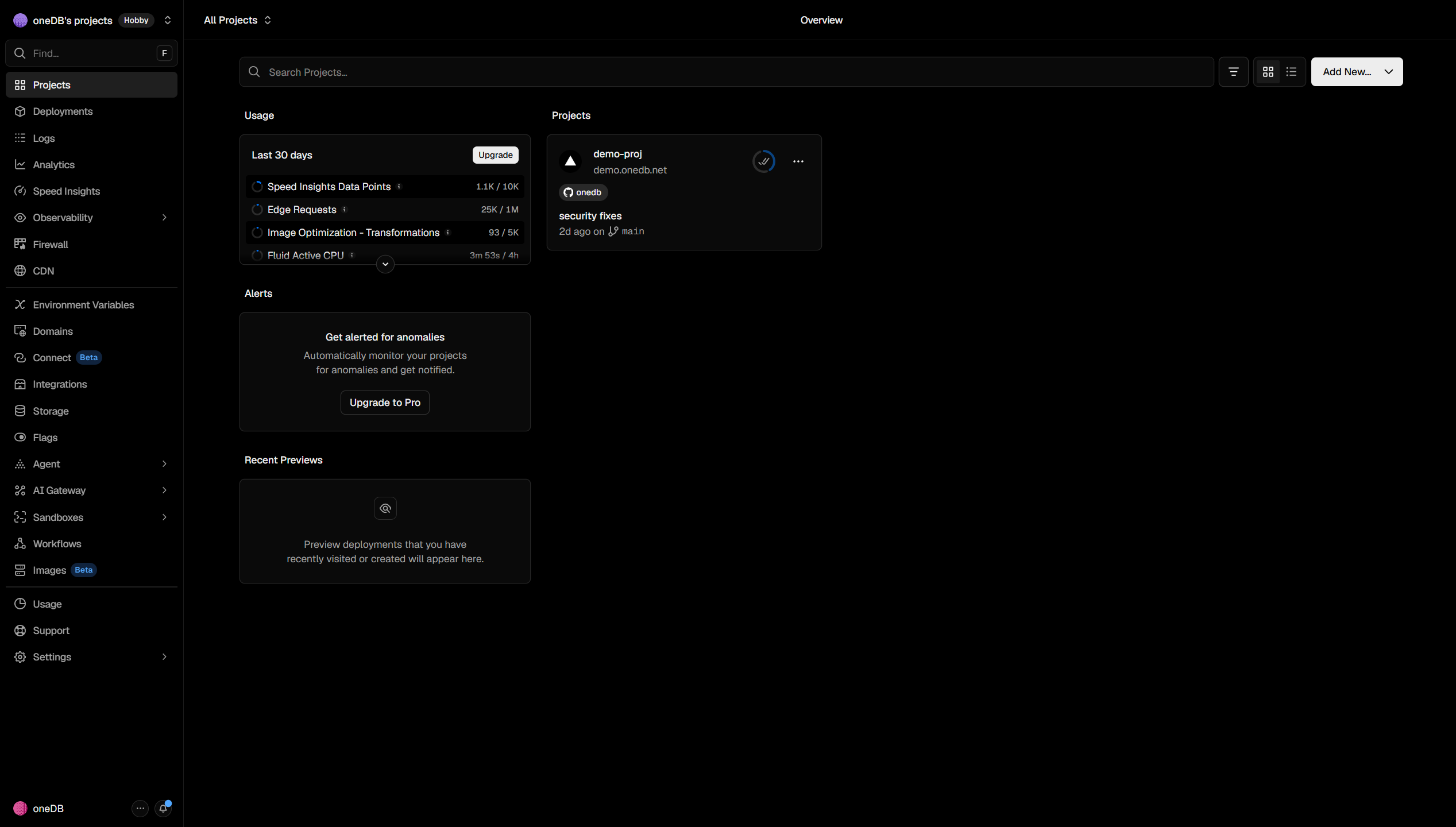
    Metric / KPI Cards

    aka Stat Cards · Big Number Cards

    Screenshot of vercel.comvercel.com

    Row of cards each showing one number with delta and a tiny chart.

    When to use

    Top of any analytics-shaped page. 4 cards is the magic count.

    Anatomy

    • Label (small uppercase)
    • Large number (monospace optional)
    • Delta vs previous period (color-coded + arrow)
    • Tiny sparkline (60×24)

    Prompt

    Build a row of 4 KPI cards. Each card: rounded-2xl, 1px border rgba(255,255,255,0.08), padding 20px. Inside: small uppercase tracking-widest label (11px ink-400), a 32px number in tabular monospace, a one-line delta below ("+12.4% vs last week") with a colored arrow icon (green up / red down), and a tiny inline SVG sparkline (60×24px) on the right side. On hover the border brightens. Make the 4 cards equal-width on desktop and stack 2x2 on tablet, 1x4 on mobile.

    Polish & tuning

    2 of 4 unlocked

    Motion

    Ease-out for entrance, ease-in-out for state. 200ms hover, 400–600ms layout. Stagger children at 30–60ms so groups feel intentional, not synchronized.

    Spacing

    Pick one scale (4 or 8) and don't mix. Section padding 96–128px desktop, 48–64px mobile. Headline sits ~24px above the subhead; subhead ~32px above the CTA cluster.
    Pro

    Unlock the rest of the tuning notes.

    Buy Pro
  • Variation 04

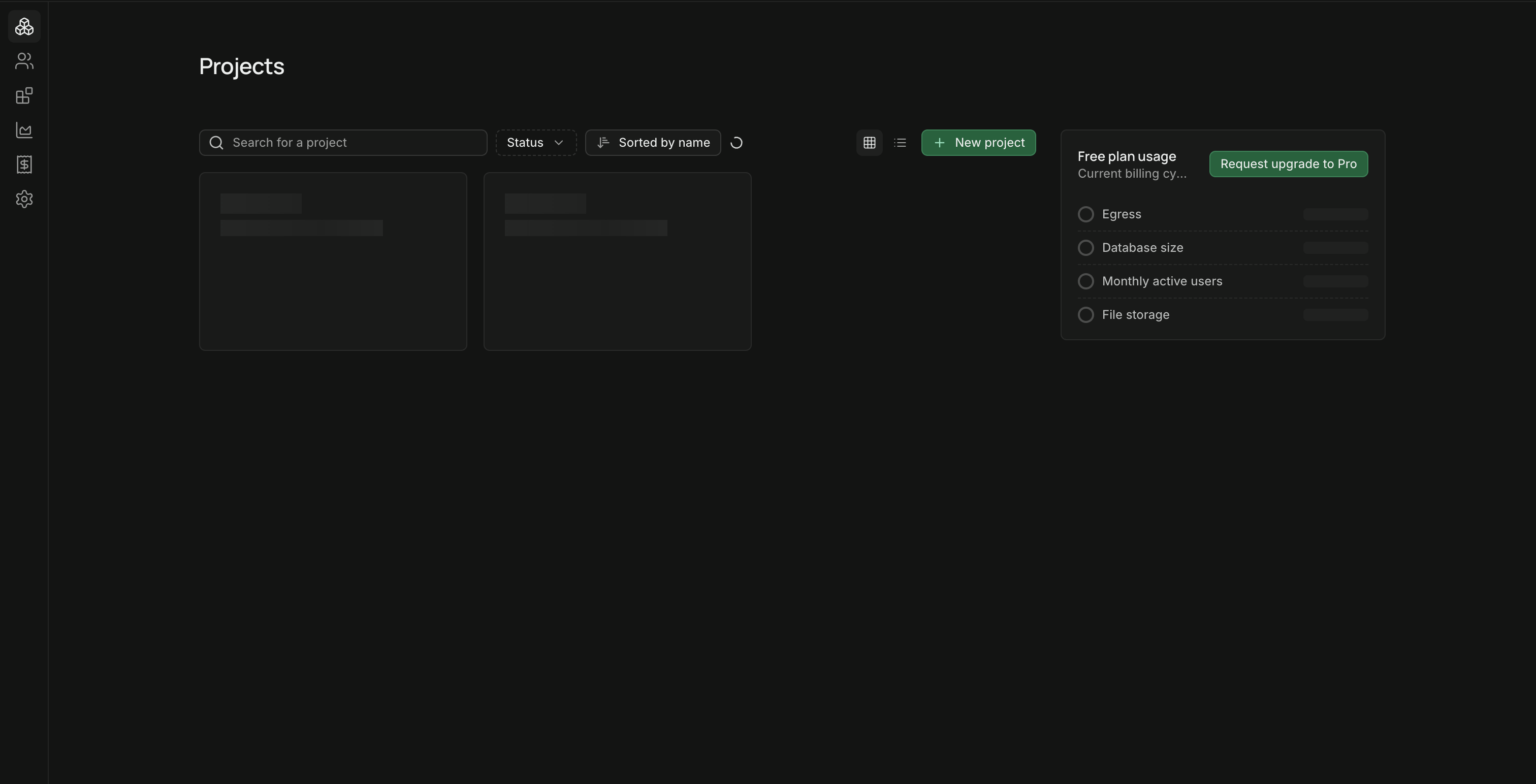
    Kanban Board

    aka Drag Board · Status Columns

    Screenshot of linear.applinear.app

    Drag-and-drop columns of cards representing work moving through states.

    When to use

    Project, issue, and CRM products. Don't ship one if the underlying data isn't actually stage-shaped.

    Anatomy

    • Horizontally scrollable strip of columns
    • Each column: header (status, count, '+' add)
    • Cards: title, labels, assignee avatar, due date
    • Drag-and-drop with ghost preview + drop indicator

    Prompt

    Preview · Pro to copy
    Pro

    Unlock the full prompt.

    Buy Pro

    Polish & tuning

    2 of 4 unlocked

    Motion

    Ease-out for entrance, ease-in-out for state. 200ms hover, 400–600ms layout. Stagger children at 30–60ms so groups feel intentional, not synchronized.

    Spacing

    Pick one scale (4 or 8) and don't mix. Section padding 96–128px desktop, 48–64px mobile. Headline sits ~24px above the subhead; subhead ~32px above the CTA cluster.
    Pro

    Unlock the rest of the tuning notes.

    Buy Pro
  • Variation 05

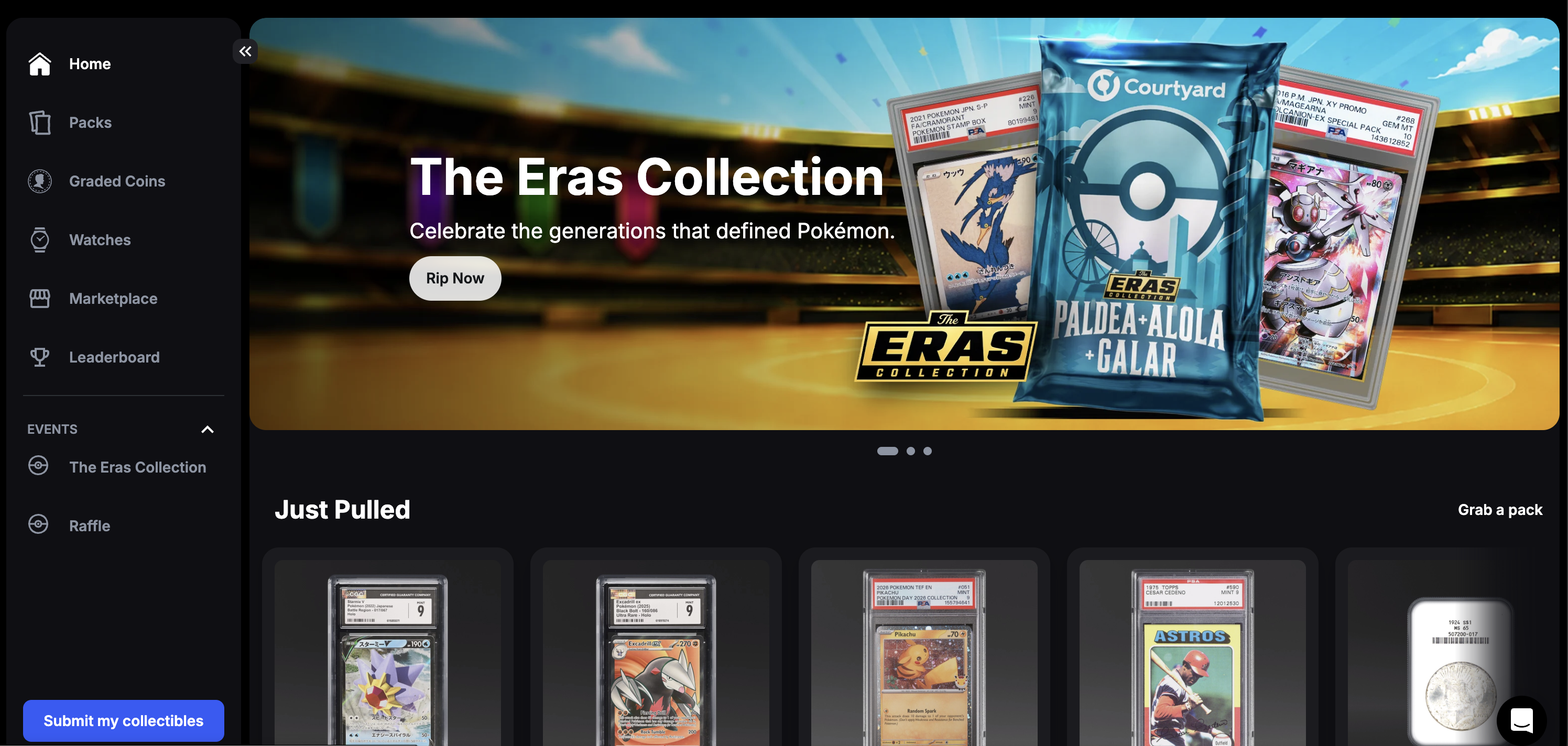
    Activity Timeline

    aka Audit Log Feed · Event Feed

    Screenshot of linear.applinear.app

    Vertical timeline of events on a resource. Who did what, when. The system-of-record view.

    When to use

    Project pages, issue details, audit logs, customer history. Make events scannable, not narrative.

    Anatomy

    • Vertical connector line
    • Per-event row: icon, actor avatar, action text, timestamp
    • Comments expand inline with body content
    • Date dividers between sessions

    Prompt

    Build a vertical activity timeline. A 2px vertical connector line down the left. Each event row: a 24px circle node anchored to the line (filled with the event-type color), an actor avatar inline, then the action text ('mira opened this issue · 12m ago'). Comments expand into a card containing the comment body. Date dividers ('Yesterday', 'May 23') break up groups of events. Infinite scroll at the bottom; sticky 'Add comment' composer below the feed.

    Polish & tuning

    2 of 4 unlocked

    Motion

    Ease-out for entrance, ease-in-out for state. 200ms hover, 400–600ms layout. Stagger children at 30–60ms so groups feel intentional, not synchronized.

    Spacing

    Pick one scale (4 or 8) and don't mix. Section padding 96–128px desktop, 48–64px mobile. Headline sits ~24px above the subhead; subhead ~32px above the CTA cluster.
    Pro

    Unlock the rest of the tuning notes.

    Buy Pro
  • Variation 06

    Settings Page

    aka Preferences Layout · Section Settings

    Screenshot of linear.applinear.app

    Two-column settings: sticky nav on the left, content on the right grouped under sections.

    When to use

    Every multi-feature app eventually needs one. Treat each section like a small form-page.

    Anatomy

    • Left rail with section links (Account, Workspace, Billing, etc.)
    • Right content scrolls; section anchors highlight active nav
    • Each setting: title + description + control
    • Save bar appears at bottom when changes are pending

    Prompt

    Build a settings page. 2-column layout: left sticky rail (220px wide) with grouped section links (Account, Workspace, Members, Billing, Notifications, Security). Right column: scrollable content. Each section starts with a 22px heading. Within: stacked rows of settings, each row laid out as 'label + description' on the left and a control (input, switch, select) on the right, 1px divider between rows. When any control is dirty, a sticky bottom bar slides up with 'Discard' and 'Save changes' buttons.

    Polish & tuning

    2 of 4 unlocked

    Motion

    Ease-out for entrance, ease-in-out for state. 200ms hover, 400–600ms layout. Stagger children at 30–60ms so groups feel intentional, not synchronized.

    Spacing

    Pick one scale (4 or 8) and don't mix. Section padding 96–128px desktop, 48–64px mobile. Headline sits ~24px above the subhead; subhead ~32px above the CTA cluster.
    Pro

    Unlock the rest of the tuning notes.

    Buy Pro
  • Variation 07

    Billing Overview

    aka Subscription Panel · Plan & Usage

    Screenshot of dashboard.stripe.comdashboard.stripe.com

    A dashboard surface showing current plan, this-period usage, next invoice, and payment method.

    When to use

    Anywhere paid users land. Keep math transparent. Every surprise here triggers a churn email.

    Anatomy

    • Current plan card (name, price, renewal date, 'Manage' link)
    • Usage section with per-meter progress bars
    • Next invoice card (amount, due date)
    • Payment method (last 4 + change action)
    • Invoice history table

    Prompt

    Build a billing overview panel. 12-col grid. Top-left card (col-span-8): current plan name, price, renewal date, 'Manage subscription →' link. Top-right card (col-span-4): payment method (card brand + last 4), 'Update →'. Below: a Usage card spanning full width with 4 stacked meter rows (Storage, Bandwidth, Requests, Members) each with a thin progress bar, used/limit numbers in mono, and an inline overage warning when > 80%. At the bottom: an invoice history table with date / amount / status / download columns.

    Polish & tuning

    2 of 4 unlocked

    Motion

    Ease-out for entrance, ease-in-out for state. 200ms hover, 400–600ms layout. Stagger children at 30–60ms so groups feel intentional, not synchronized.

    Spacing

    Pick one scale (4 or 8) and don't mix. Section padding 96–128px desktop, 48–64px mobile. Headline sits ~24px above the subhead; subhead ~32px above the CTA cluster.

    Pro

    Unlock the rest of the tuning notes.

    Buy Pro
  • Variation 08

    Team Members Table

    aka Roster · User Management

    Screenshot of slack.comslack.com

    List of workspace members with role, last active, and per-row actions (change role, remove, resend invite).

    When to use

    Workspace settings on every multi-user product. Combine with seat-count + invite CTA for admin clarity.

    Anatomy

    • Top bar: search + role filter + 'Invite' button
    • Table rows: avatar, name, email, role chip, last active, actions
    • Pending invites appear at the top with a 'Pending' badge
    • Role change opens an inline dropdown

    Prompt

    Build a team members table. Top bar: search input on the left, role filter chip group next to it, primary 'Invite members' button on the right (opens a modal). Table rows: 40px avatar + name + email stacked on the left, role chip (Admin / Member / Viewer) in the middle, last-active timestamp, and a '⋯' menu on the right. Pending invites pinned above active members with a soft amber 'Pending' tint. Role chip opens a popover to change role; '⋯' opens Remove / Resend / Transfer ownership.

    Polish & tuning

    2 of 4 unlocked

    Motion

    Ease-out for entrance, ease-in-out for state. 200ms hover, 400–600ms layout. Stagger children at 30–60ms so groups feel intentional, not synchronized.

    Spacing

    Pick one scale (4 or 8) and don't mix. Section padding 96–128px desktop, 48–64px mobile. Headline sits ~24px above the subhead; subhead ~32px above the CTA cluster.

    Pro

    Unlock the rest of the tuning notes.

    Buy Pro
  • Variation 09

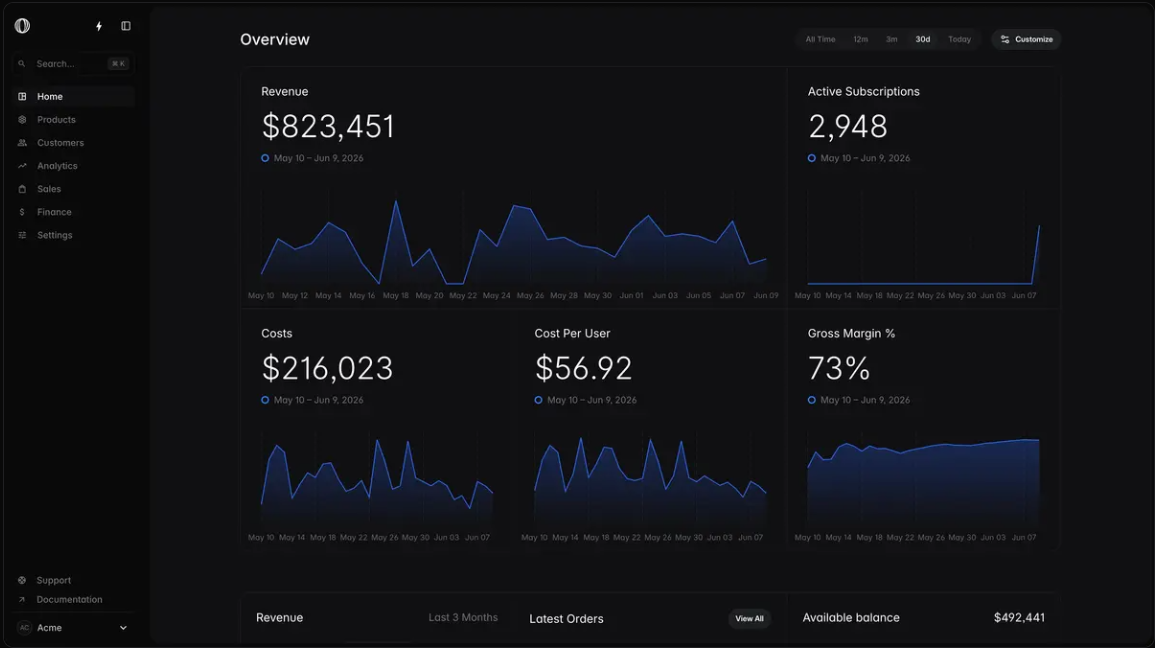
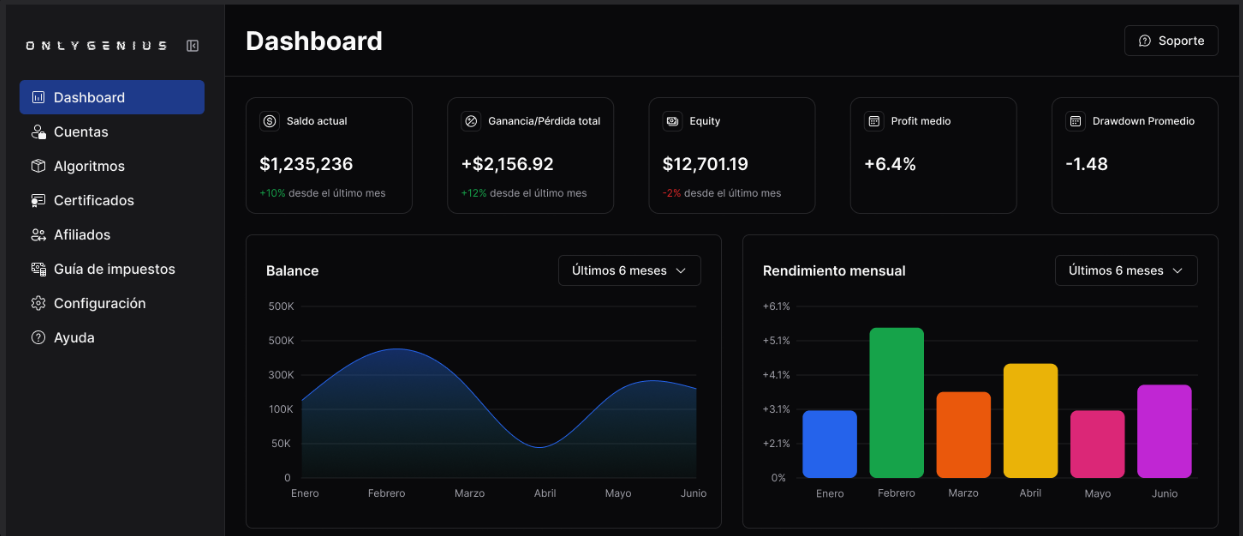
    Analytics Overview Dashboard

    aka Stats Page · Insights Dashboard

    Screenshot of vercel.comvercel.com

    Top KPI row + chart panels below. The dashboard pattern most products converge on.

    When to use

    Any product where users want to know 'how am I doing'. Don't reinvent. Adopt the convention.

    Anatomy

    • Time-range selector top-right (7d / 30d / custom)
    • Row of 4 KPI cards
    • Main chart (line or bar) full-width
    • Two secondary charts side-by-side beneath
    • Comparison-to-previous-period overlay

    Prompt

    Preview · Pro to copy
    Pro

    Unlock the full prompt.

    Buy Pro

    Polish & tuning

    2 of 4 unlocked

    Motion

    Ease-out for entrance, ease-in-out for state. 200ms hover, 400–600ms layout. Stagger children at 30–60ms so groups feel intentional, not synchronized.

    Spacing

    Pick one scale (4 or 8) and don't mix. Section padding 96–128px desktop, 48–64px mobile. Headline sits ~24px above the subhead; subhead ~32px above the CTA cluster.

    Pro

    Unlock the rest of the tuning notes.

    Buy Pro
  • Variation 10

    Workspace Search (⌘K)

    aka Spotlight · Quick Open

    Screenshot of linear.applinear.app

    Cmd-K search across all entities in the workspace - issues, docs, members, files. Often paired with actions.

    When to use

    Multi-entity products. The single highest-leverage UX investment after auth.

    Anatomy

    • ⌘K opens modal
    • Single search input at top
    • Results grouped by entity (Issues, Docs, People)
    • Inline icons + secondary metadata
    • Empty state with 'Try searching for…' hints

    Prompt

    Build a workspace search palette opened with ⌘K. Modal 640px wide, padding 0, surface fill, strong shadow. Search input at top (no border, focus from open). Below: grouped result lists ('Issues', 'Docs', 'People', 'Actions') each with an uppercase 11px label. Per row: leading entity icon, primary label, secondary muted metadata, trailing kbd shortcut for top results. Empty input shows a Recent section. Arrow keys cycle across all results regardless of group. Powered by a fuzzy-search index (e.g. cmdk + a small client store).

    Polish & tuning

    2 of 4 unlocked

    Motion

    Ease-out for entrance, ease-in-out for state. 200ms hover, 400–600ms layout. Stagger children at 30–60ms so groups feel intentional, not synchronized.

    Spacing

    Pick one scale (4 or 8) and don't mix. Section padding 96–128px desktop, 48–64px mobile. Headline sits ~24px above the subhead; subhead ~32px above the CTA cluster.

    Pro

    Unlock the rest of the tuning notes.

    Buy Pro