Webapp Parts & Types

FAQ & Help

webmobile

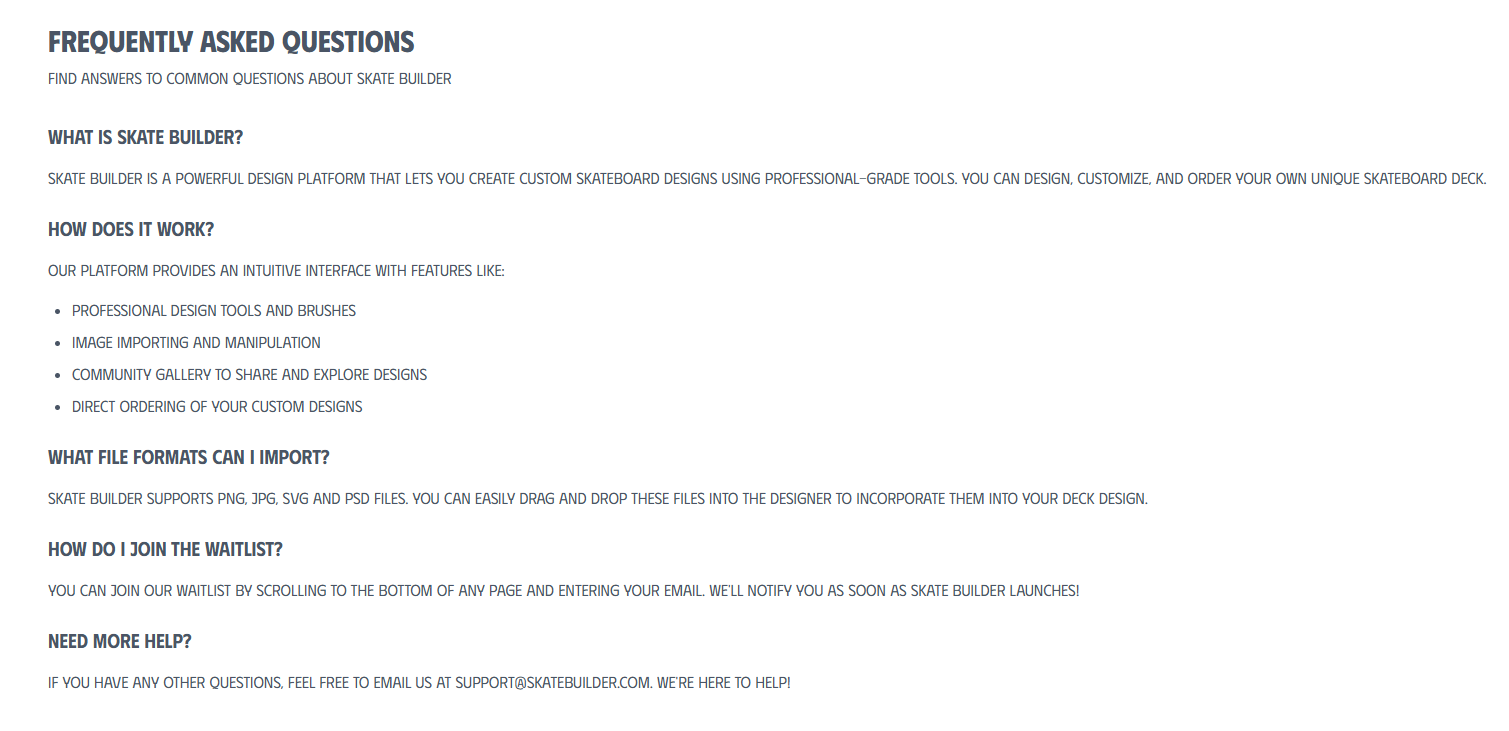
The FAQ is where doubt gets resolved before the sale. Treat questions like a content design problem, not a legal one - short, direct, and ordered by what people actually ask.

  • Variation 01

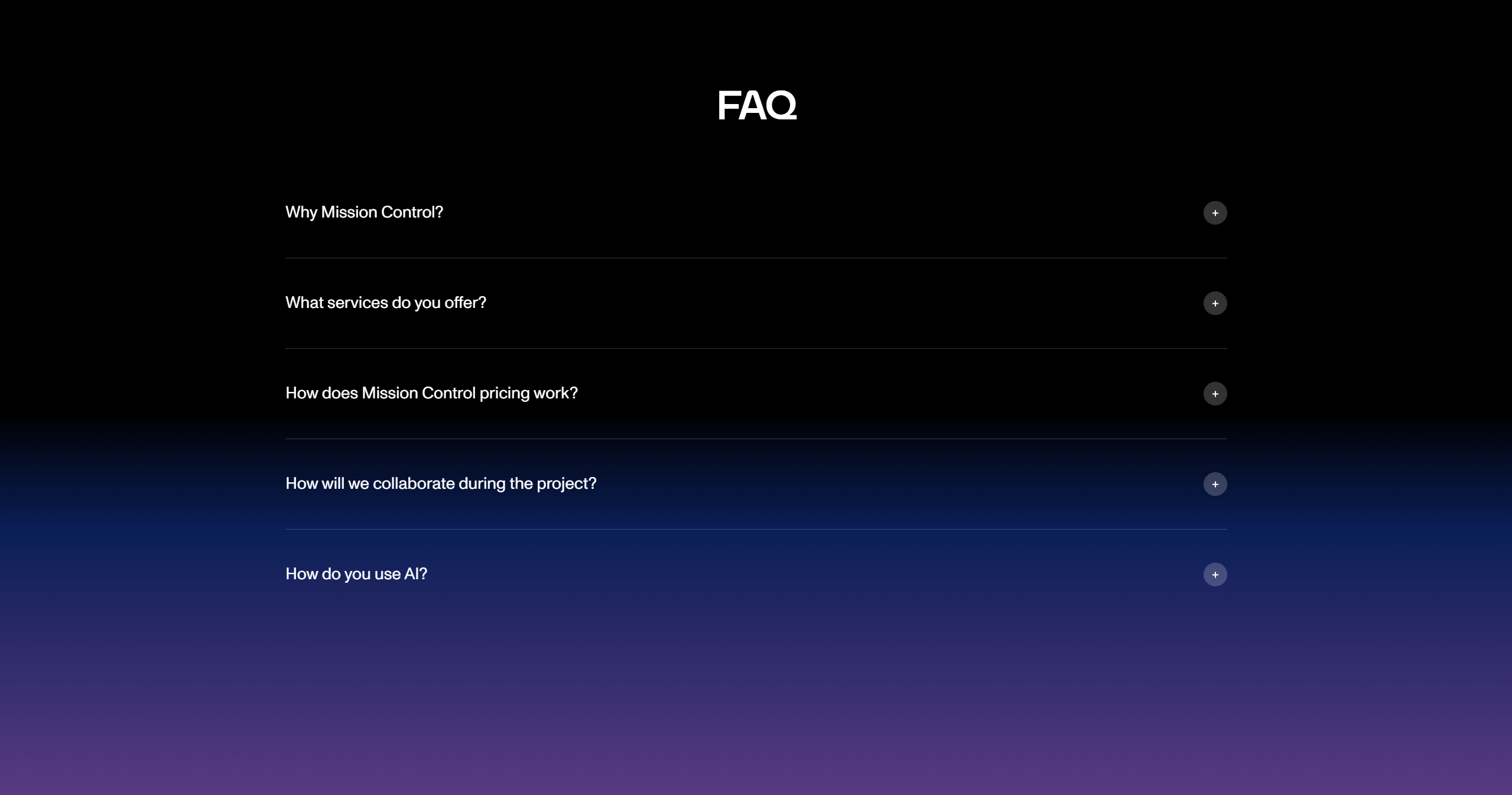
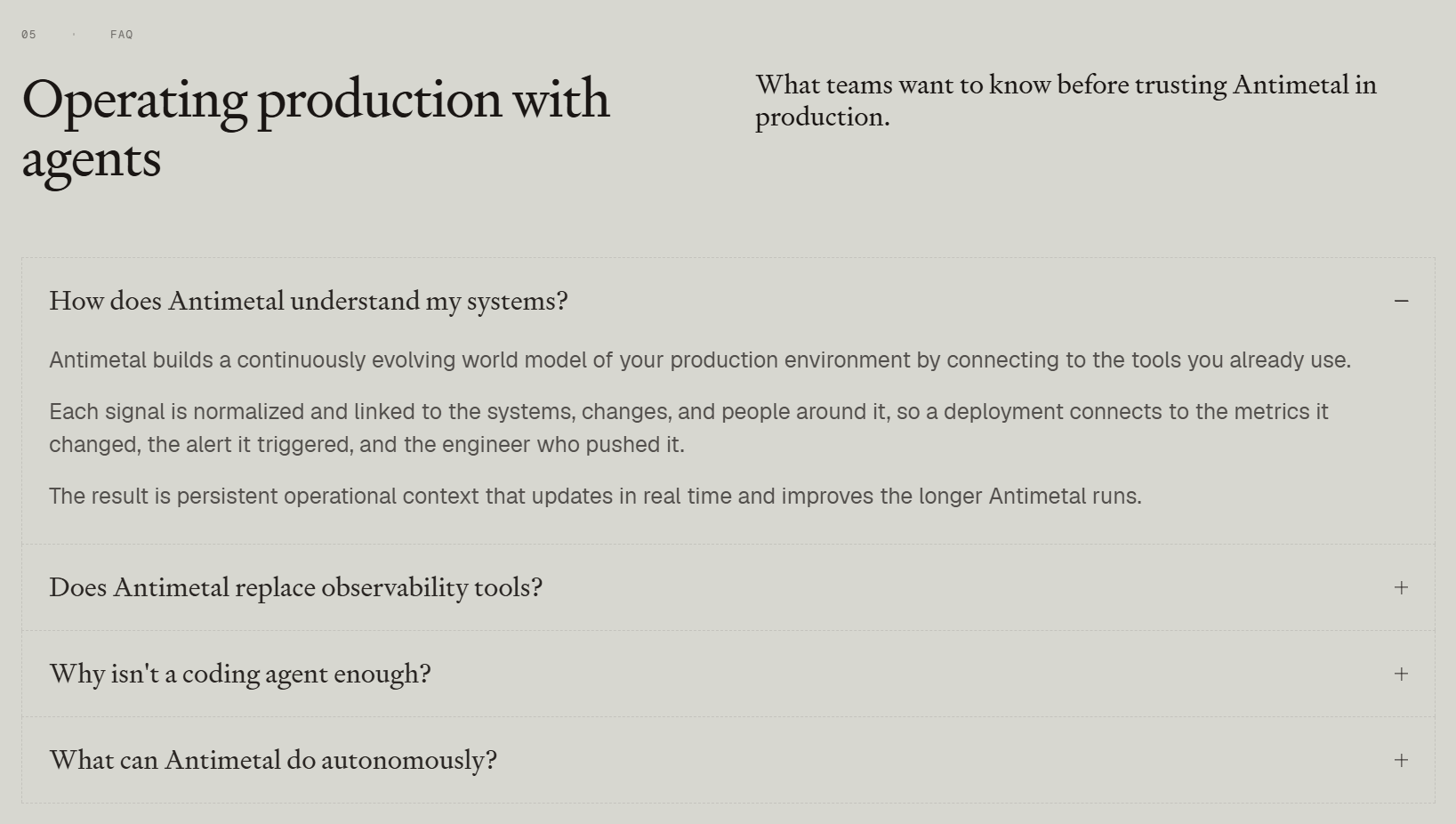
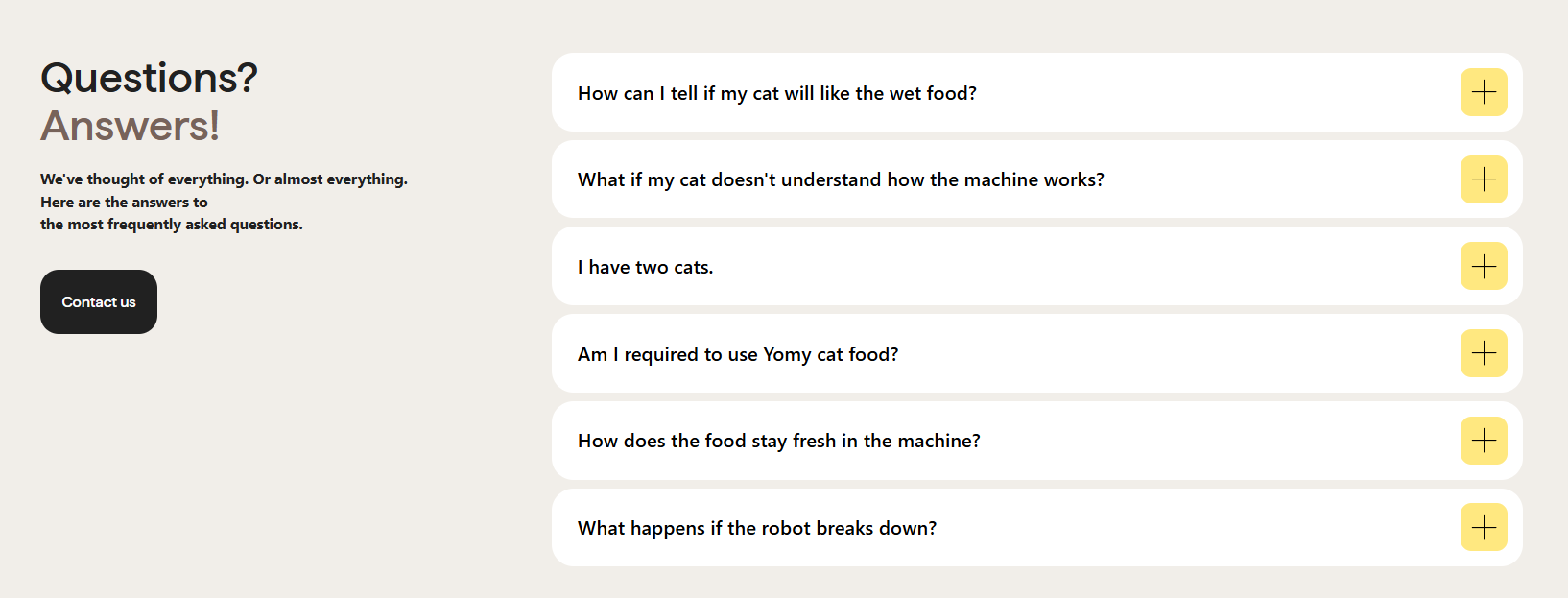
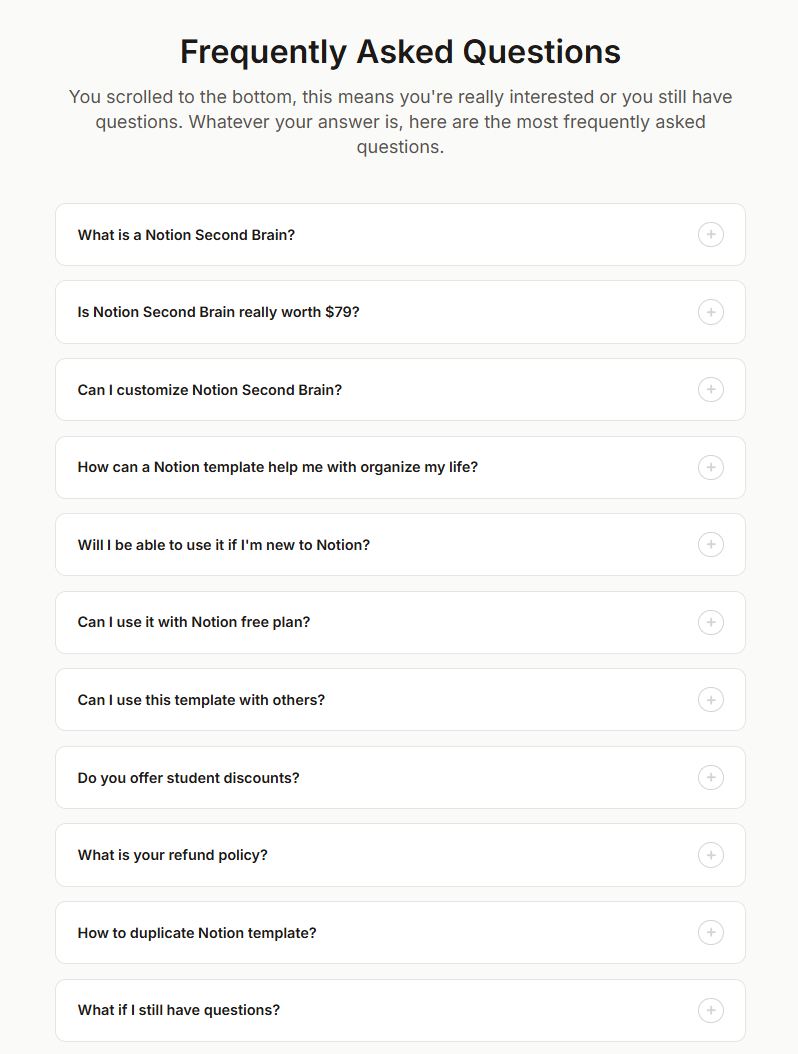
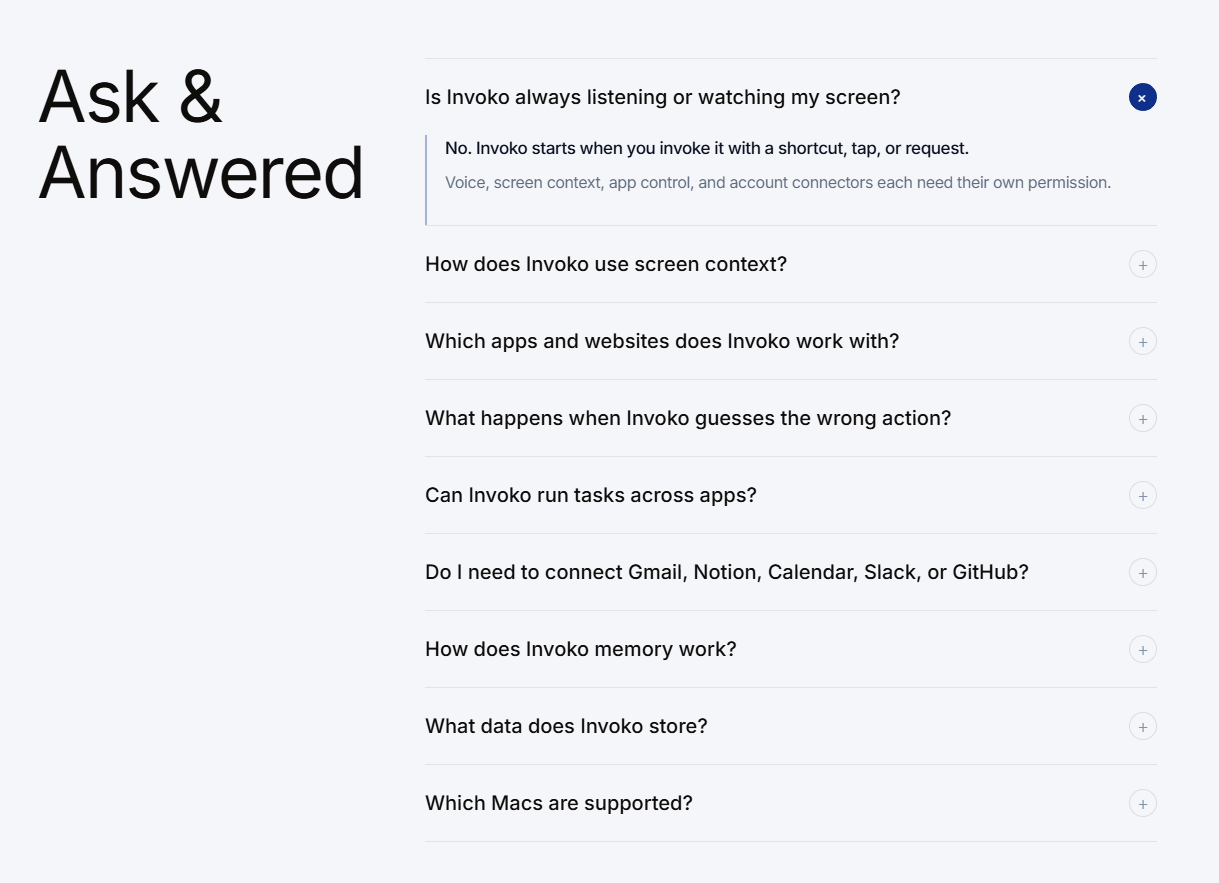
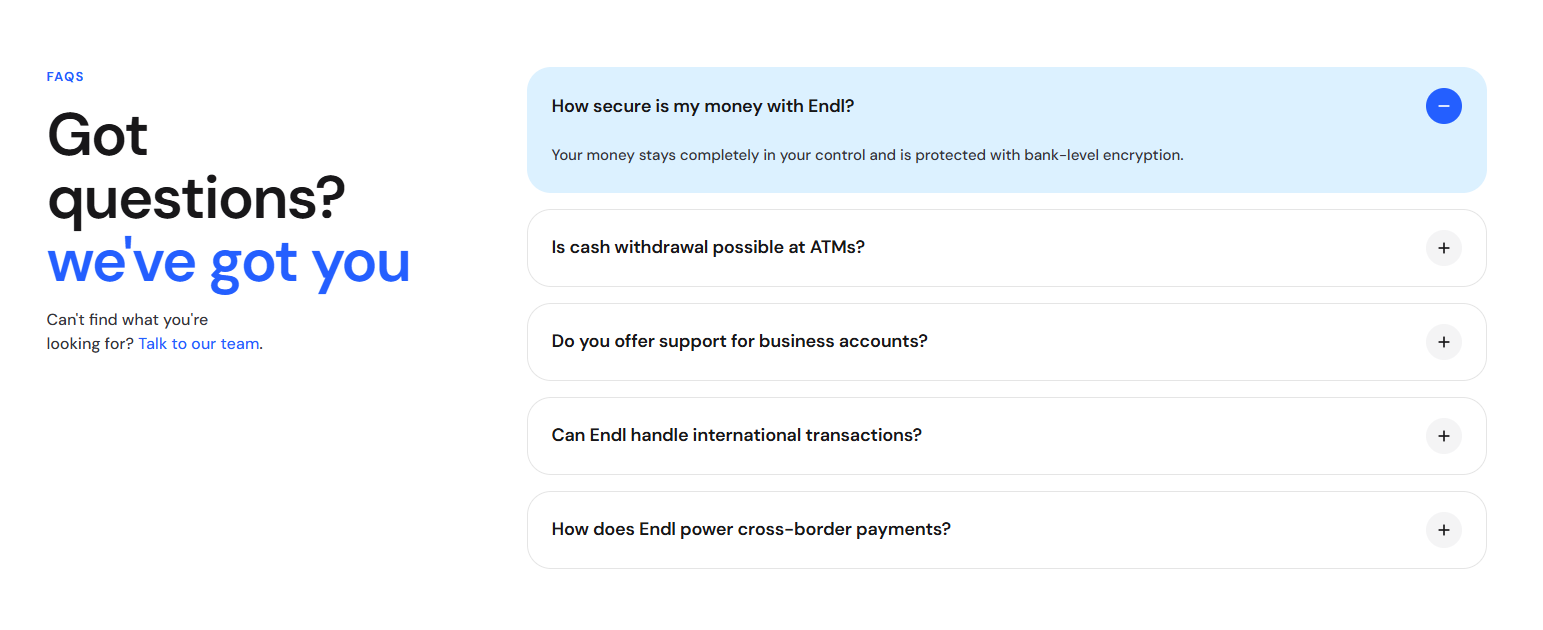
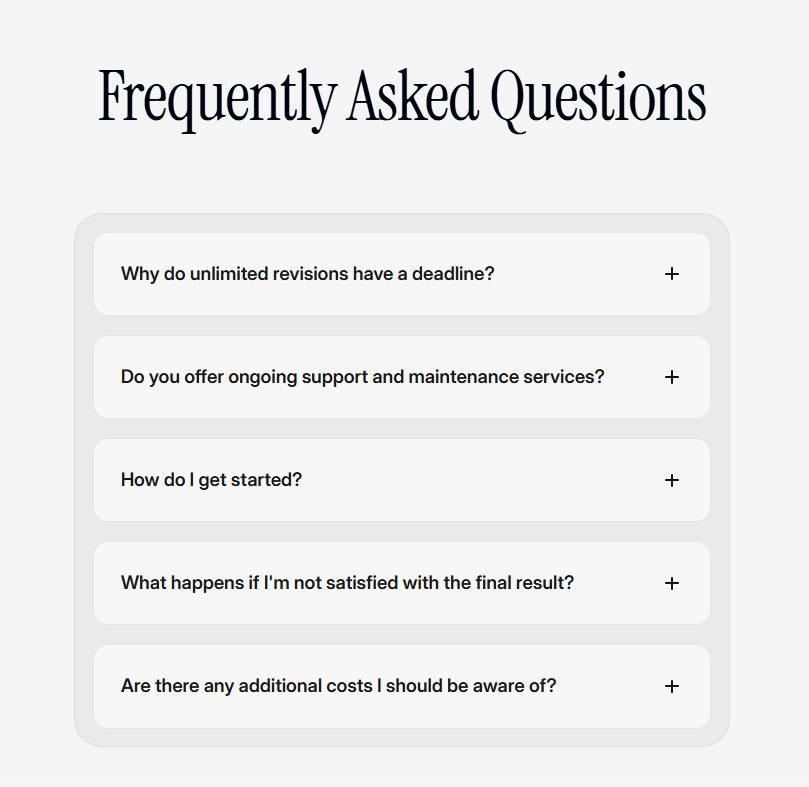
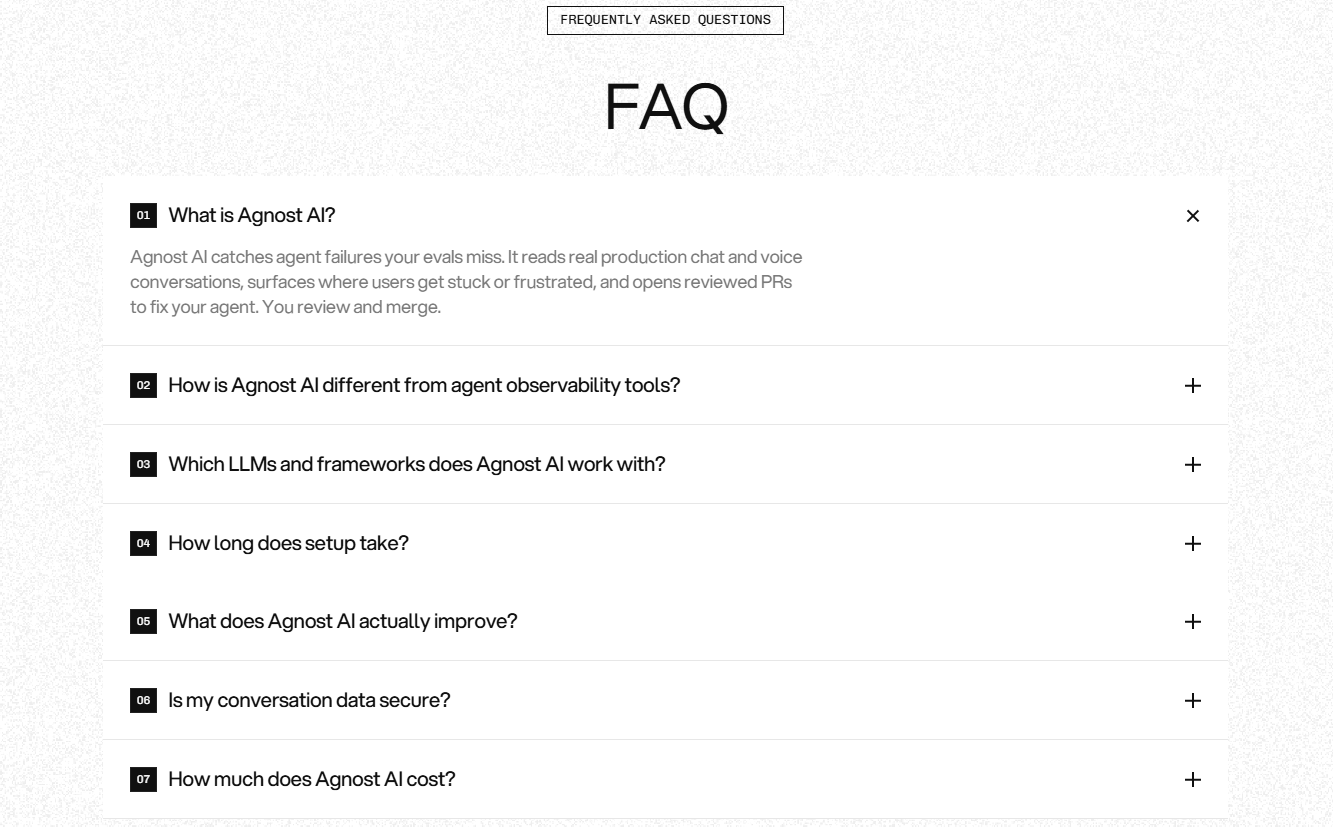
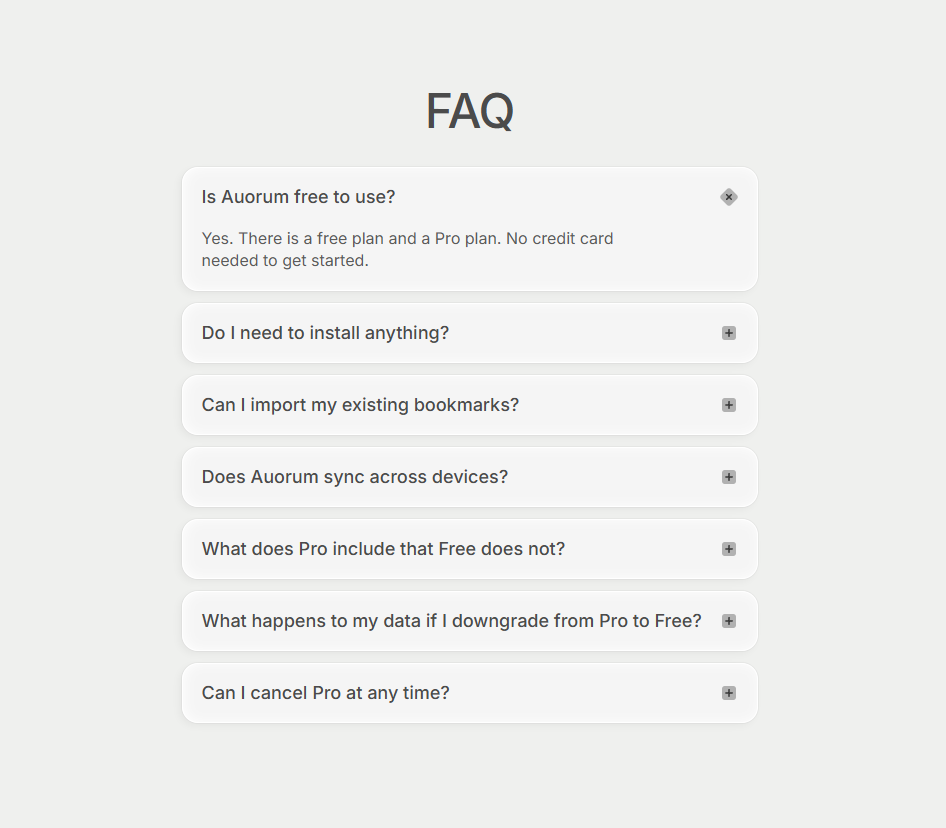
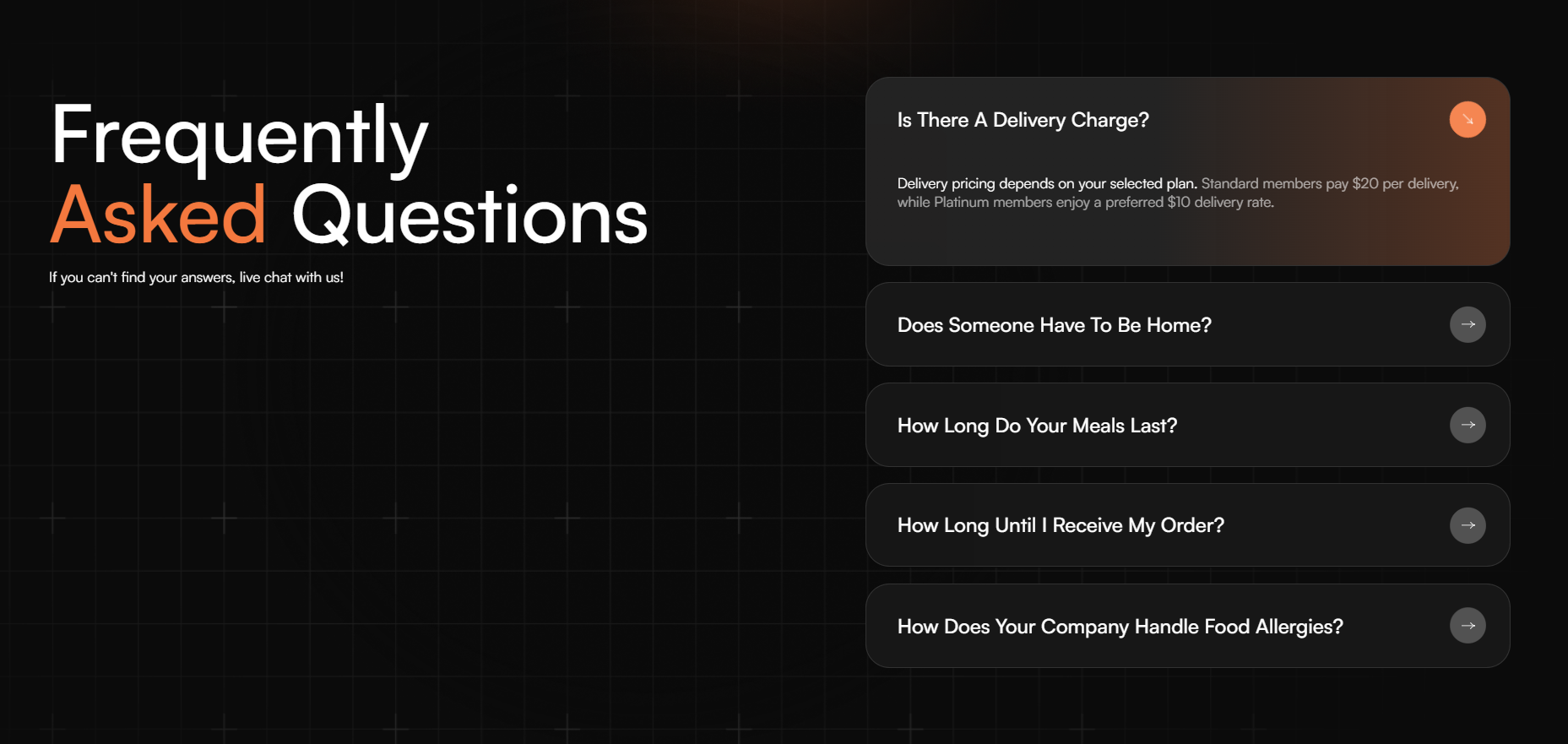
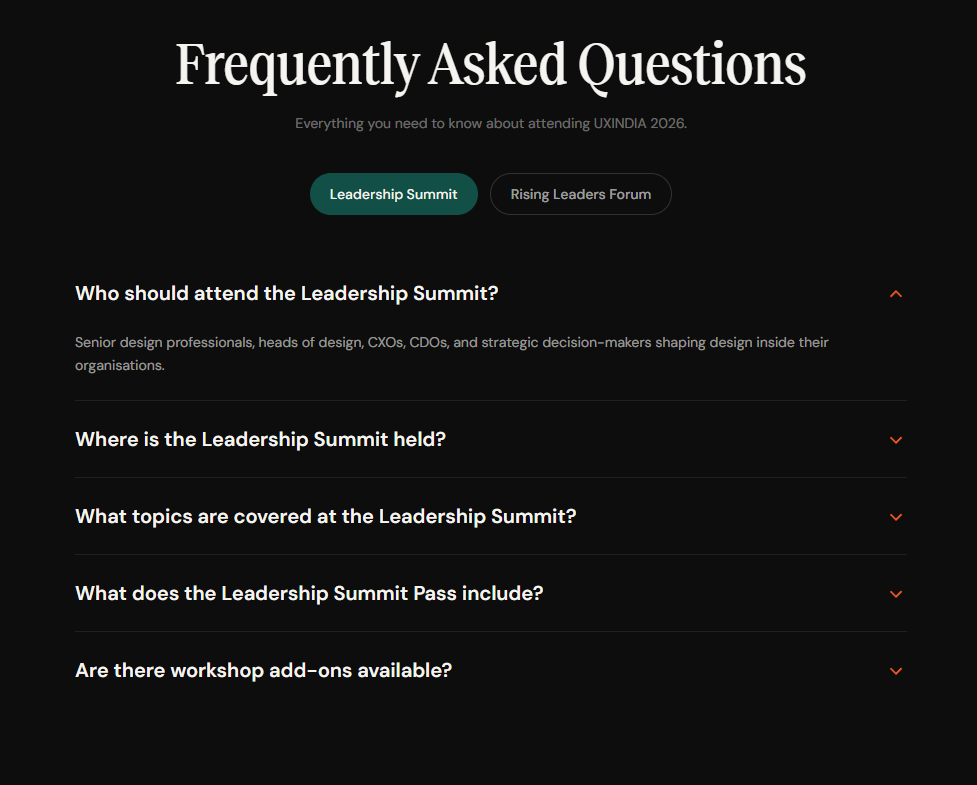
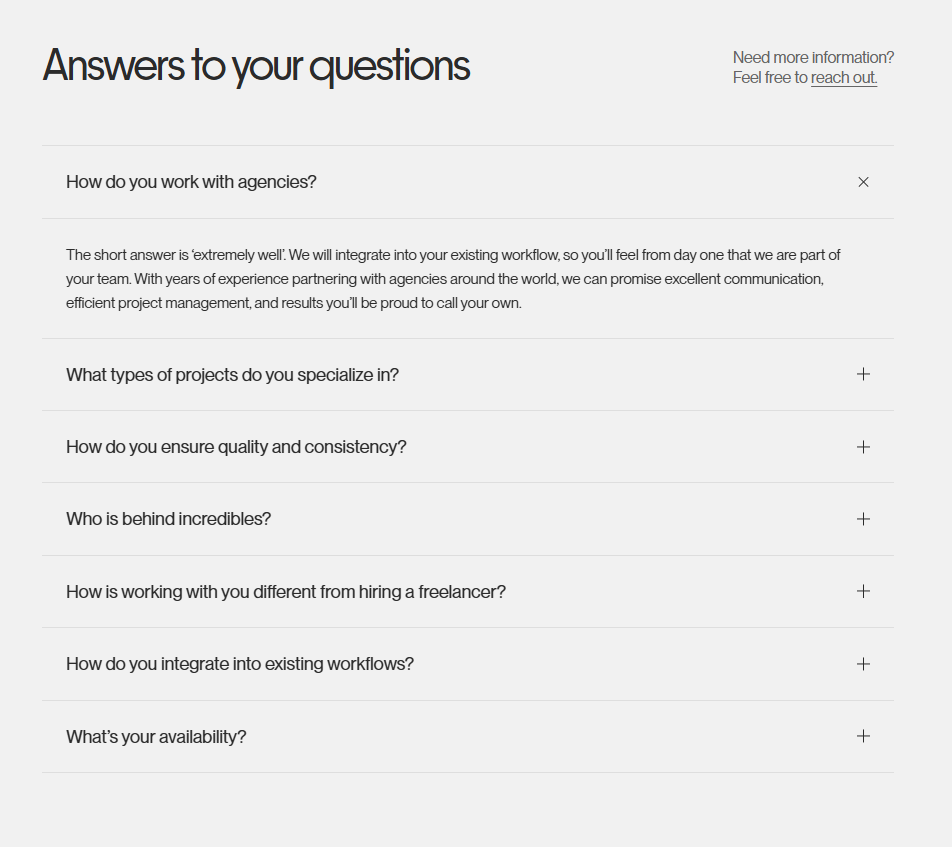
    Accordion FAQ

    aka Expandable FAQ · Disclosure List

    Screenshot of linear.applinear.app

    Vertical list of questions; each expands to reveal a short answer. Quiet, scannable, fast.

    When to use

    When you have 5–15 questions and answers are short. Above 20, switch to a searchable layout.

    Anatomy

    • Top divider, then one row per question
    • Question - 16px medium
    • Rotating chevron or plus glyph
    • Animated height expansion, ~240ms
    • Answer - 14px body in muted color

    Prompt

    Build an accordion FAQ. Each row is a full-width button with the question in 16px medium weight on the left and a chevron on the right that rotates 180° when open. Top and bottom of each row has a 1px divider in the line color. Click expands the answer with a height + opacity transition over 240ms; answer is 14px in the muted text color, with comfortable line-height (1.55). Only one row open at a time (controlled). Honour prefers-reduced-motion.

    Polish & tuning

    2 of 4 unlocked

    Motion

    Ease-out for entrance, ease-in-out for state. 200ms hover, 400–600ms layout. Stagger children at 30–60ms so groups feel intentional, not synchronized.

    Spacing

    Pick one scale (4 or 8) and don't mix. Section padding 96–128px desktop, 48–64px mobile. Headline sits ~24px above the subhead; subhead ~32px above the CTA cluster.
    Pro

    Unlock the rest of the tuning notes.

    Buy Pro
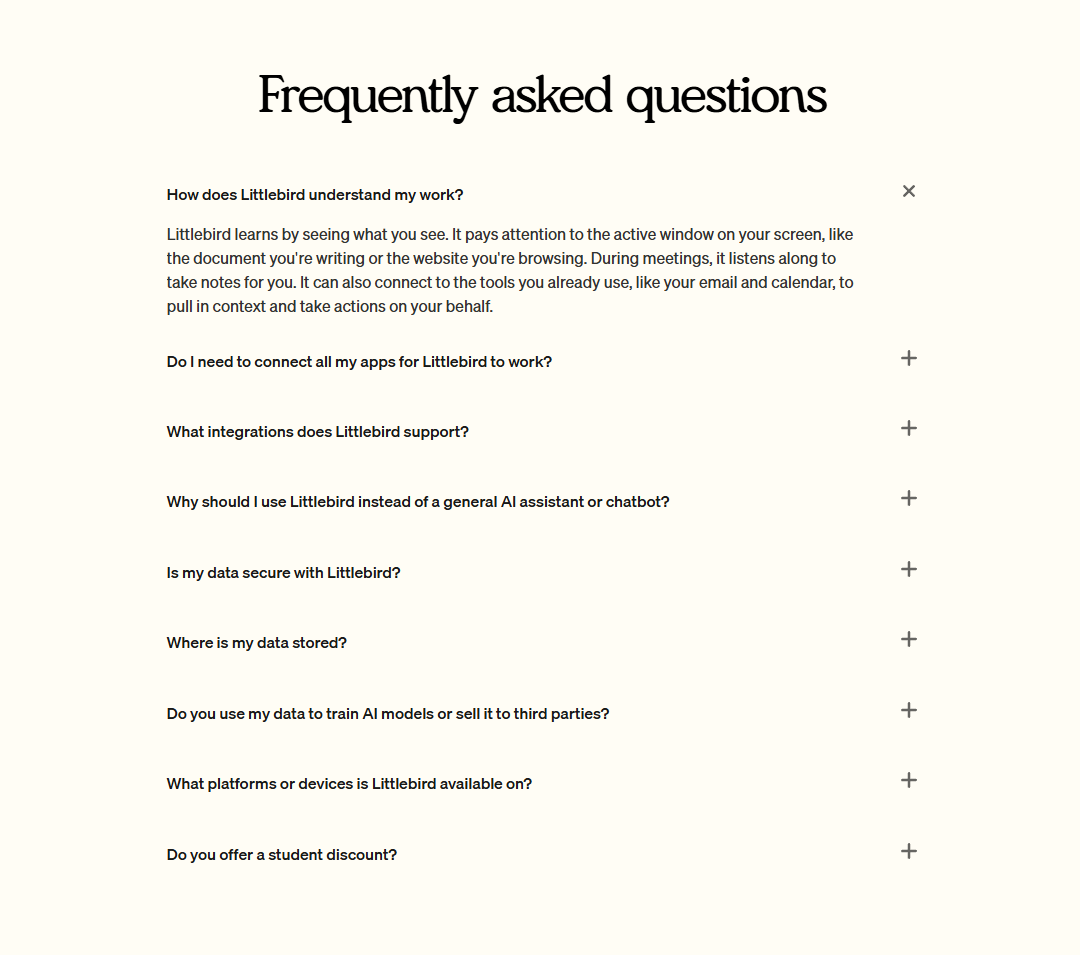
  • Variation 02

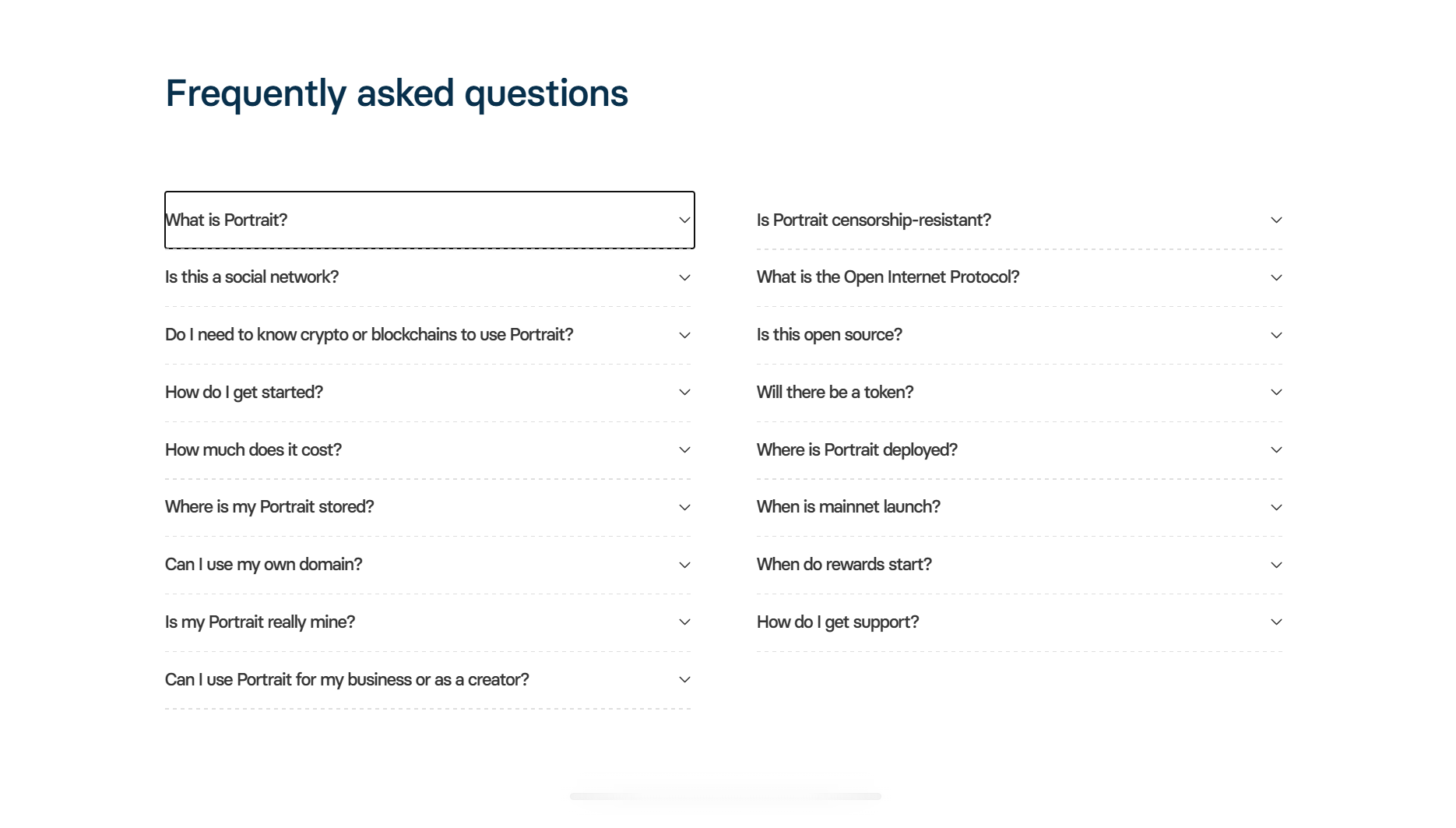
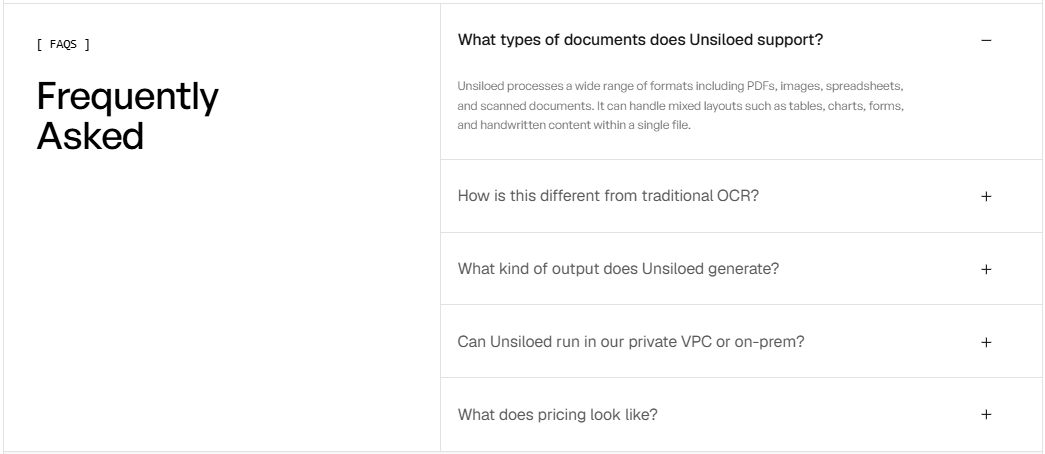
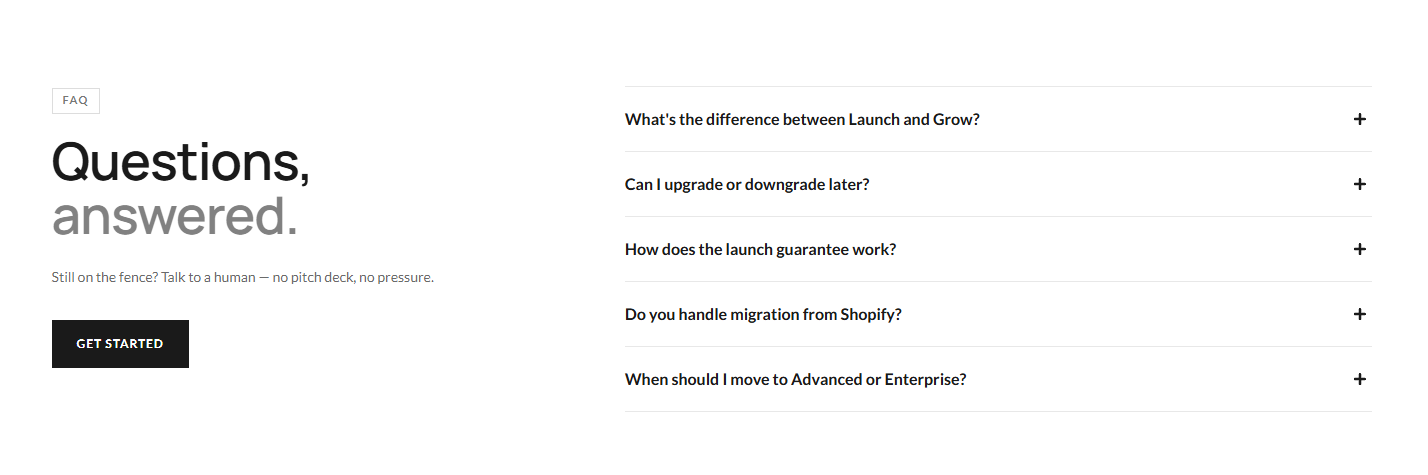
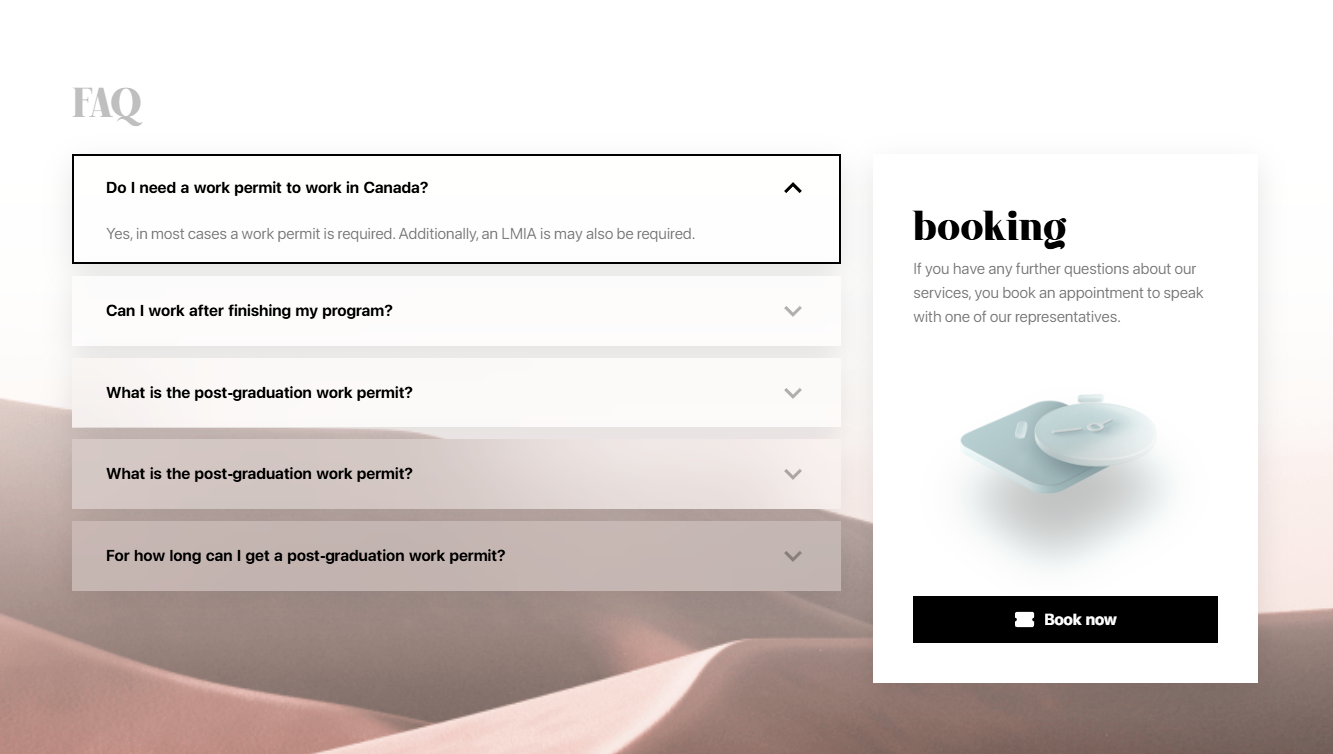
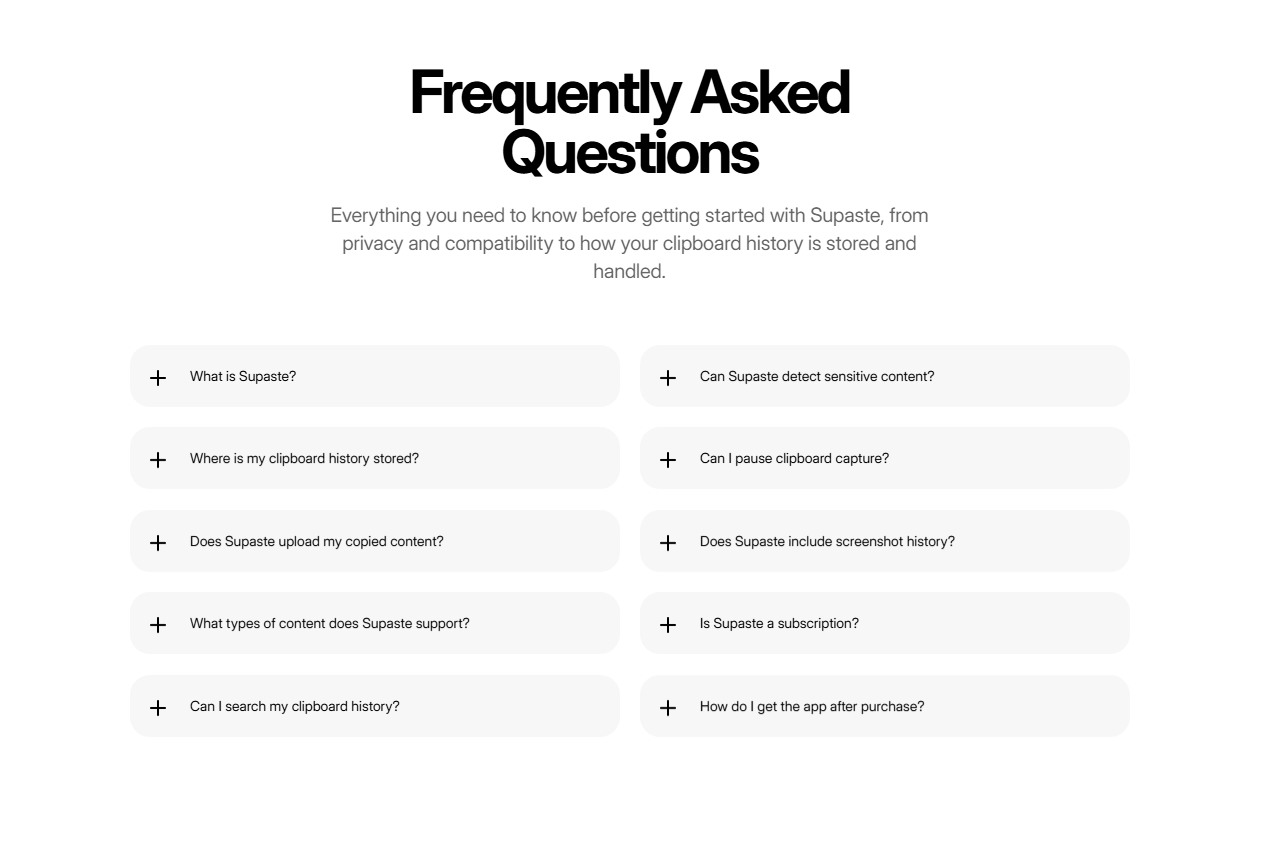
    Two-Column FAQ

    aka Categories FAQ · Sectioned FAQ

    Screenshot of vercel.comvercel.com

    Section titles on the left, questions stacked on the right. Reads like a magazine's index.

    When to use

    When questions naturally group (Billing, Account, Security). Don't force groupings under 3 items each.

    Anatomy

    • Left column: sticky section title
    • Right column: 3–6 questions per section
    • Each question expands inline
    • Spacing between sections > spacing inside
    • Small uppercase eyebrow above each section

    Prompt

    Build a two-column FAQ. Left column (sticky on lg screens) shows the section title in 28px serif and a small uppercase eyebrow. Right column lists 3–6 questions for that section, each as a button that expands to reveal the answer inline. Stack sections vertically with 80px gaps between sections, 16px within. On mobile, collapse to single column with the title pinned above each set. Numbered questions in mono on the left of each row.

    Polish & tuning

    2 of 4 unlocked

    Motion

    Ease-out for entrance, ease-in-out for state. 200ms hover, 400–600ms layout. Stagger children at 30–60ms so groups feel intentional, not synchronized.

    Spacing

    Pick one scale (4 or 8) and don't mix. Section padding 96–128px desktop, 48–64px mobile. Headline sits ~24px above the subhead; subhead ~32px above the CTA cluster.
    Pro

    Unlock the rest of the tuning notes.

    Buy Pro
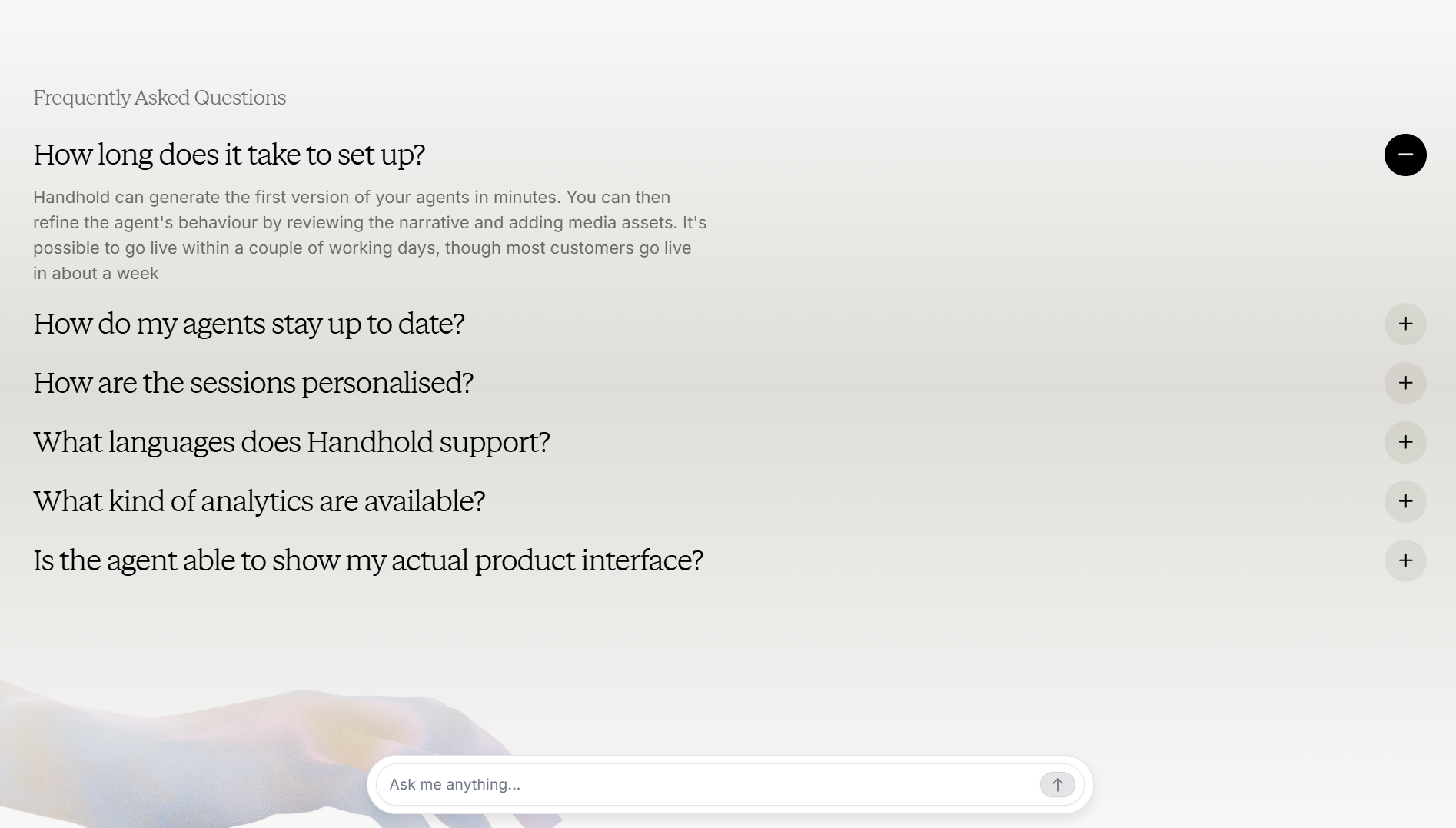
  • Variation 03

    Search-Driven FAQ

    aka Help Center Search · Instant Answers

    Screenshot of algolia.comalgolia.com

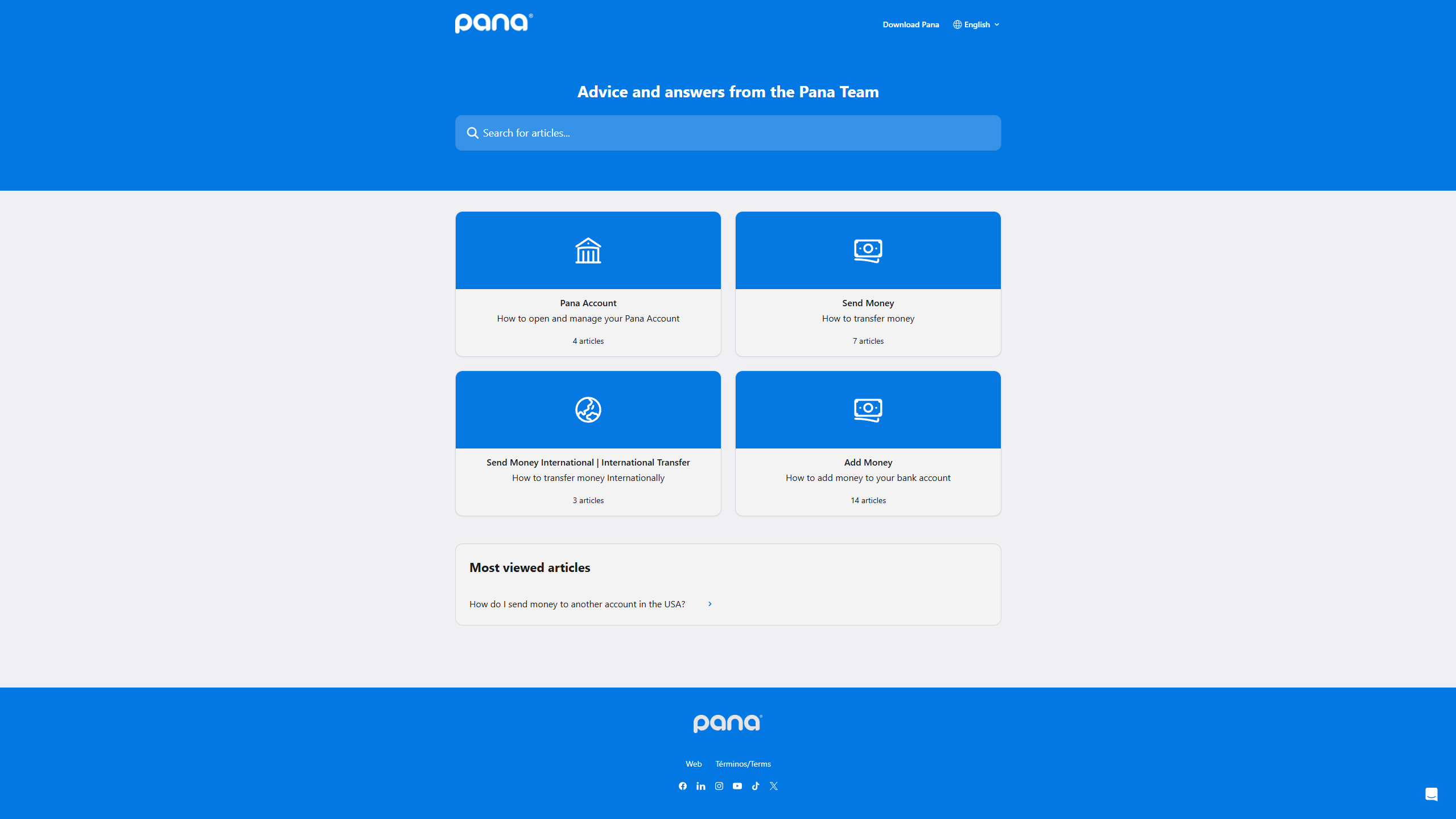
    A large search input above a filtered list. Typing instantly narrows the matching questions and highlights the matched term.

    When to use

    When you have 30+ questions or a real help center. Pairs naturally with a fuzzy-search library.

    Anatomy

    • Hero-sized search input with placeholder
    • Popular categories as quick-filter chips
    • Live-filtered list with matched-term highlight
    • Empty state with 'Contact support' fallback
    • Recent searches in localStorage

    Prompt

    Build a search-driven FAQ. Hero with a large search input (16px text, generous padding), a row of category chips below acting as quick filters. Below: a live-filtered list of questions and answers. As the user types, debounce 120ms, then highlight matched substrings inside the question and answer text using a soft amber mark. Empty state offers a 'Contact support →' link. Persist last 5 searches in localStorage and show as chips when the input is focused and empty.

    Polish & tuning

    2 of 4 unlocked

    Motion

    Ease-out for entrance, ease-in-out for state. 200ms hover, 400–600ms layout. Stagger children at 30–60ms so groups feel intentional, not synchronized.

    Spacing

    Pick one scale (4 or 8) and don't mix. Section padding 96–128px desktop, 48–64px mobile. Headline sits ~24px above the subhead; subhead ~32px above the CTA cluster.
    Pro

    Unlock the rest of the tuning notes.

    Buy Pro
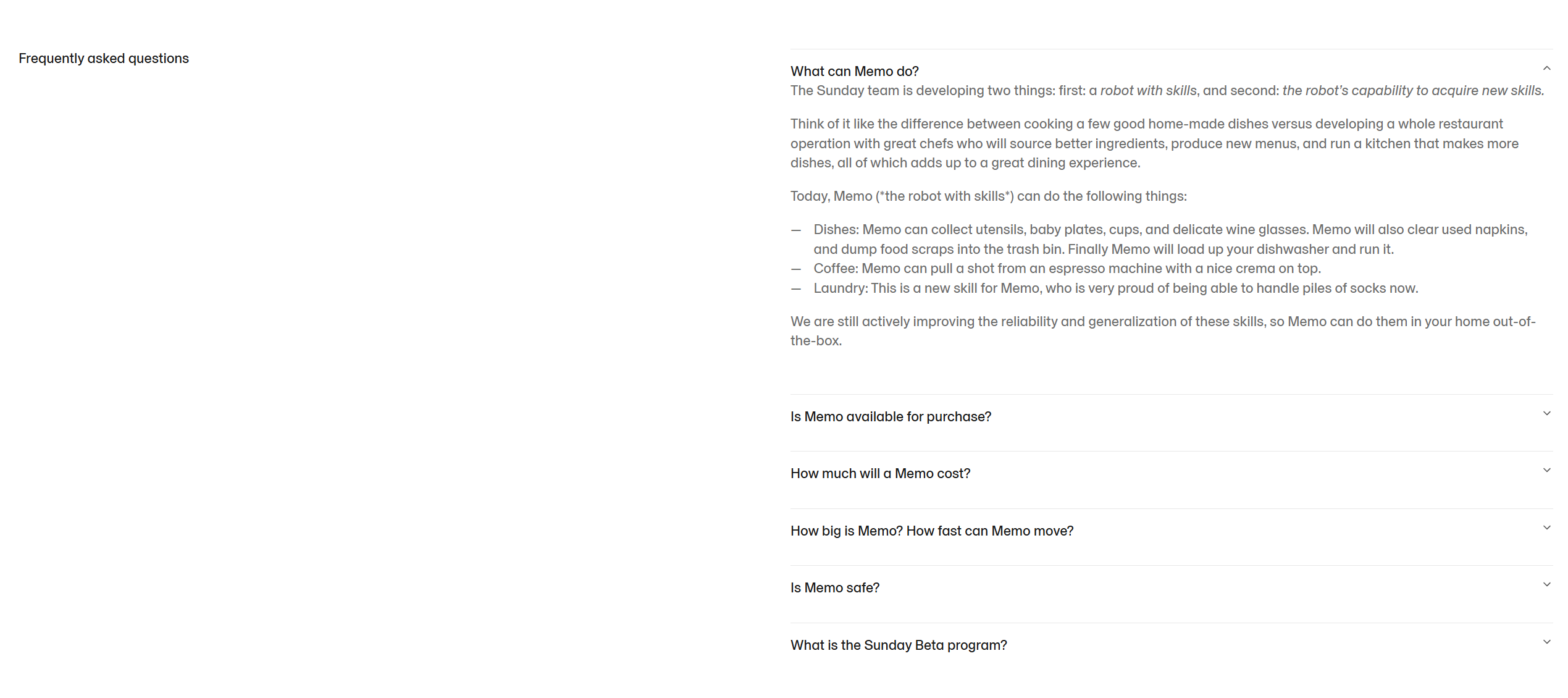
  • Variation 04

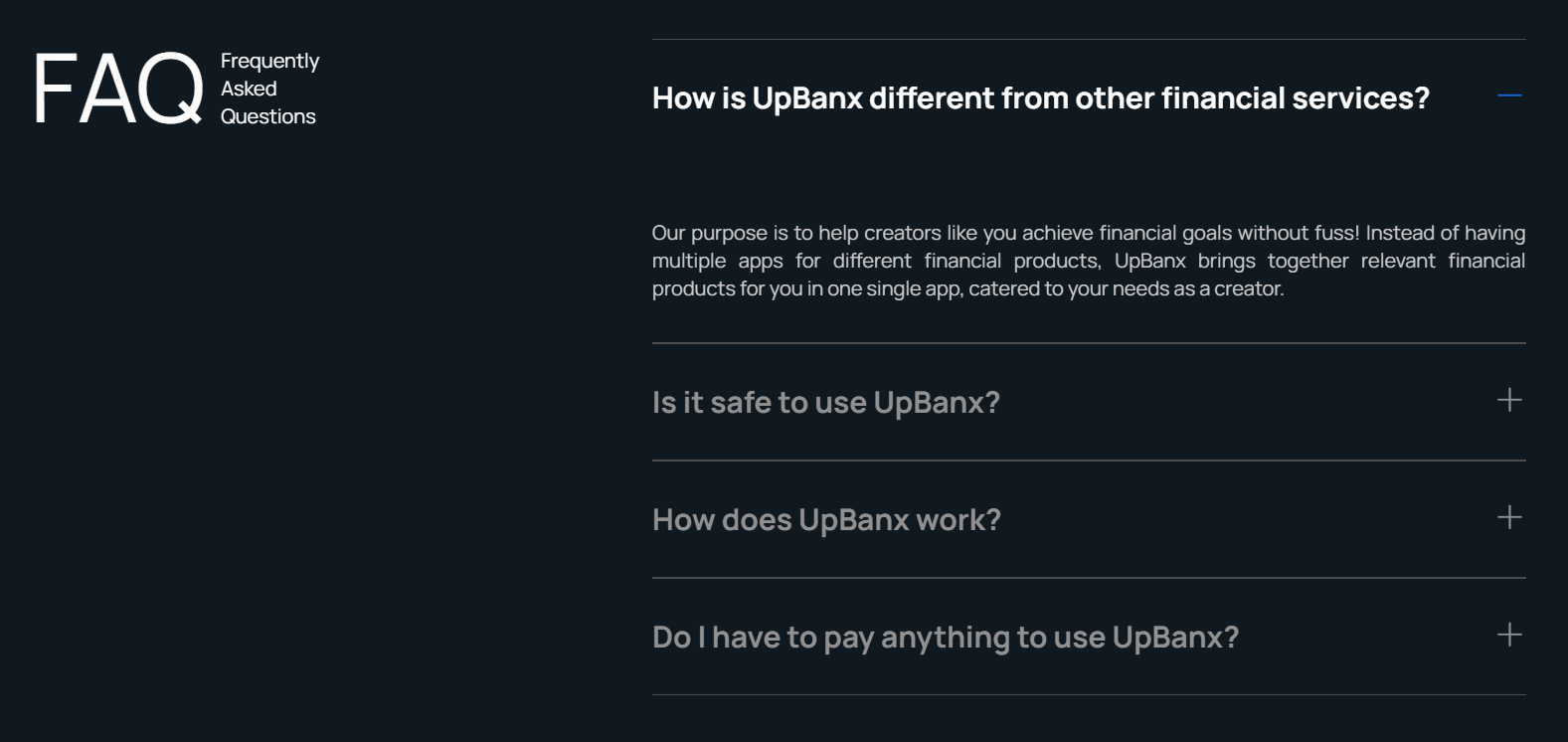
    Tabbed FAQ

    aka Category Tabs FAQ · Audience-Switched FAQ

    Screenshot of stripe.comstripe.com

    FAQ split across tabs by audience or topic. Engineering / Billing / Security / Customers. With one tab visible at a time.

    When to use

    When questions split cleanly by audience. Avoid if tabs are mostly overlapping content.

    Anatomy

    • Horizontal tab strip at top
    • Animated indicator below active tab
    • Accordion list per tab
    • Counts per tab in muted text

    Prompt

    Build a tabbed FAQ. Horizontal tab row (Engineering / Billing / Security / Account) with an animated underline under the active tab (framer-motion layoutId). Each tab is a small button with the label and a muted count ('Billing · 12'). Below the tab strip: an accordion list filtered to the active tab, rendered with the standard accordion-faq component. Switching tabs collapses any open accordion in the previous tab. Tabs are keyboard-navigable with left/right arrows.

    Polish & tuning

    2 of 4 unlocked

    Motion

    Ease-out for entrance, ease-in-out for state. 200ms hover, 400–600ms layout. Stagger children at 30–60ms so groups feel intentional, not synchronized.

    Spacing

    Pick one scale (4 or 8) and don't mix. Section padding 96–128px desktop, 48–64px mobile. Headline sits ~24px above the subhead; subhead ~32px above the CTA cluster.
    Pro

    Unlock the rest of the tuning notes.

    Buy Pro
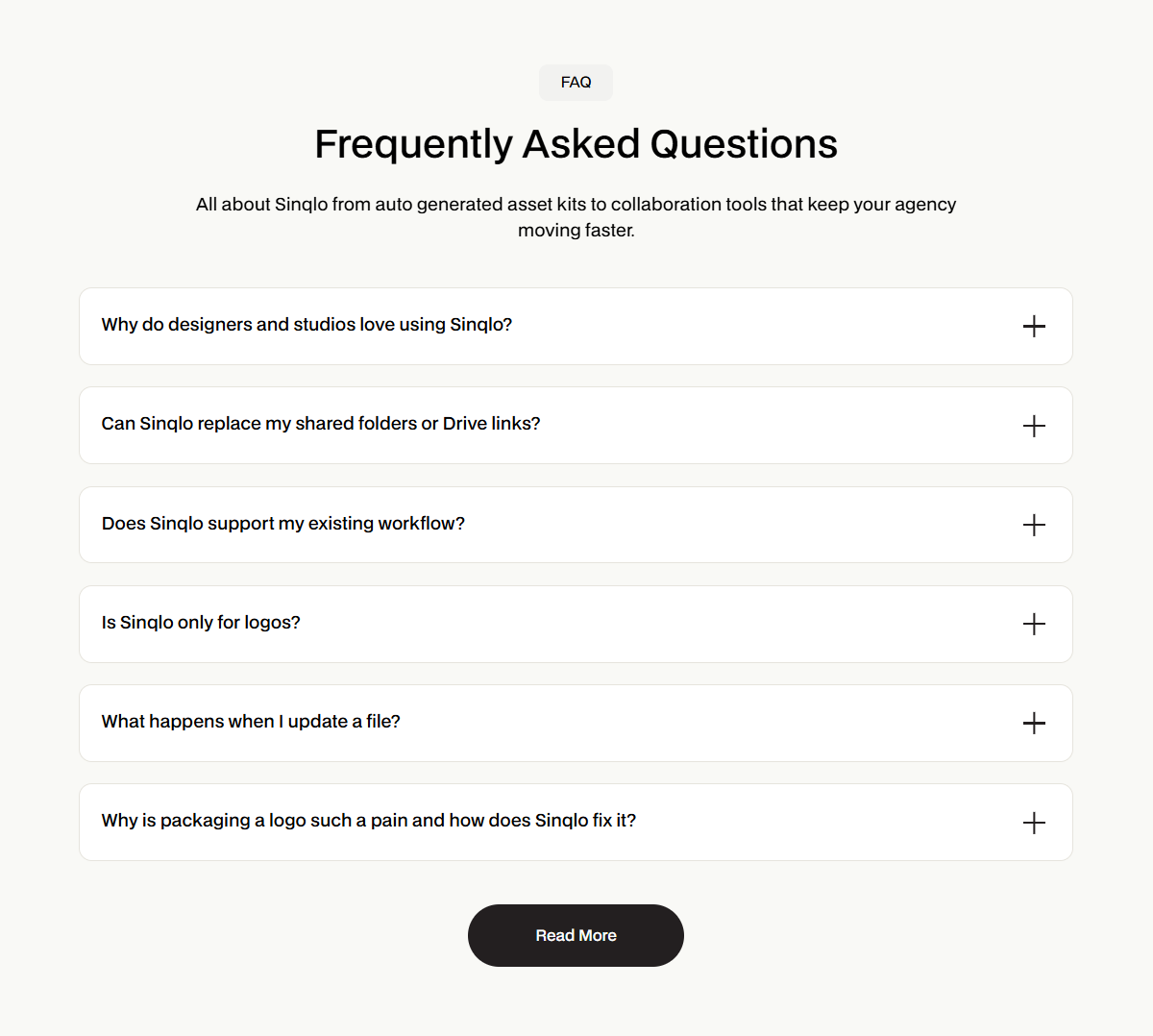
  • Variation 05

    AI Chat FAQ

    aka Ask-Anything FAQ · Help GPT

    Screenshot of vercel.comvercel.com

    An LLM-powered chat at the top of the FAQ page that answers questions live, grounded on the docs.

    When to use

    Products with deep docs and a willingness to pay for inference. Pair with hallucination guardrails and source citations.

    Anatomy

    • Chat input + suggested questions
    • Streaming response area
    • Cited source chips with doc links
    • 'Talk to a human →' fallback

    Prompt

    Preview · Pro to copy
    Pro

    Unlock the full prompt.

    Buy Pro

    Polish & tuning

    2 of 4 unlocked

    Motion

    Ease-out for entrance, ease-in-out for state. 200ms hover, 400–600ms layout. Stagger children at 30–60ms so groups feel intentional, not synchronized.

    Spacing

    Pick one scale (4 or 8) and don't mix. Section padding 96–128px desktop, 48–64px mobile. Headline sits ~24px above the subhead; subhead ~32px above the CTA cluster.
    Pro

    Unlock the rest of the tuning notes.

    Buy Pro
  • Variation 06

    Inline Doc FAQ

    aka Contextual FAQ · In-Page Help

    Screenshot of docs.stripe.comdocs.stripe.com

    Small FAQ widgets embedded inside long docs/articles, answering questions specific to that section.

    When to use

    Long-form docs where users hit the same questions repeatedly. Answer them where the question arises.

    Anatomy

    • Section embedded mid-article
    • Small heading 'Common questions about X'
    • 3–5 Q&A pairs
    • Visually distinct from body but not loud

    Prompt

    Build an inline FAQ block for use inside MDX docs. Wrapped in a callout container (rounded-md, subtle border, 6% accent background). Heading: 'Common questions about webhooks' in 15px medium. Below: 4 expandable Q&A pairs in a compact accordion (smaller padding, no border between rows). Component accepts children as MDX so authors can write the questions and answers naturally inside the source file.

    Polish & tuning

    2 of 4 unlocked

    Motion

    Ease-out for entrance, ease-in-out for state. 200ms hover, 400–600ms layout. Stagger children at 30–60ms so groups feel intentional, not synchronized.

    Spacing

    Pick one scale (4 or 8) and don't mix. Section padding 96–128px desktop, 48–64px mobile. Headline sits ~24px above the subhead; subhead ~32px above the CTA cluster.
    Pro

    Unlock the rest of the tuning notes.

    Buy Pro
  • Variation 07

    Pre-Purchase FAQ

    aka Buyer Concerns FAQ

    Screenshot of linear.applinear.app

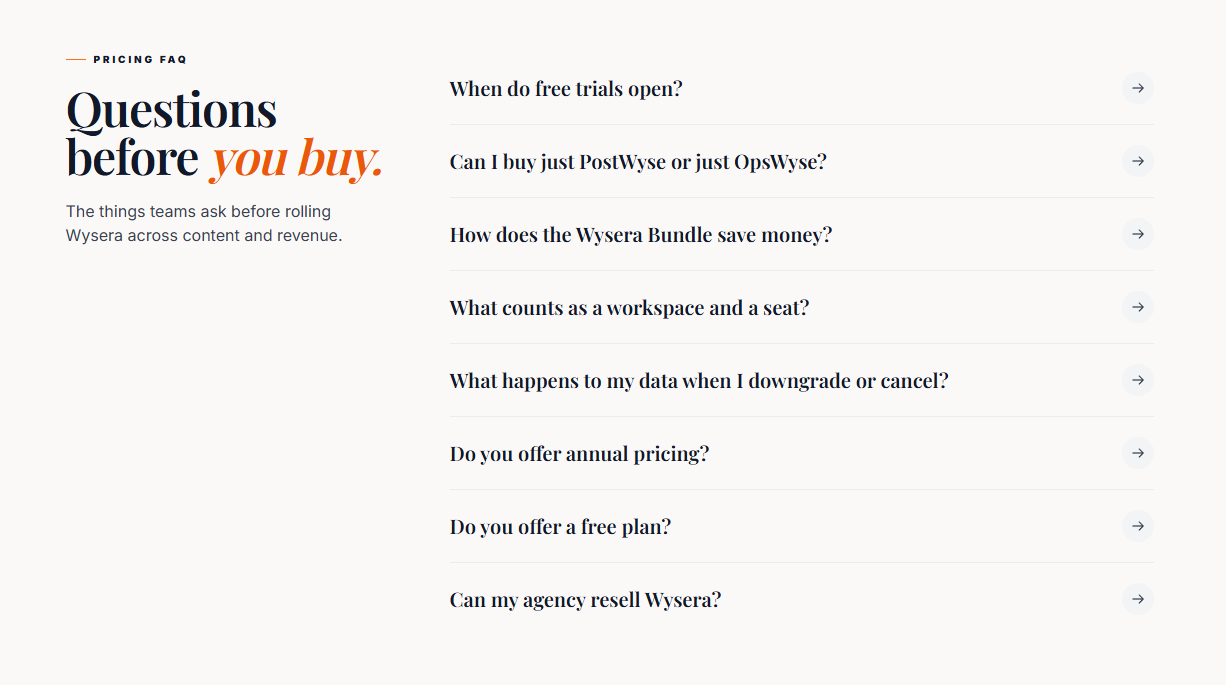
    FAQ tuned to last-mile buyer doubts: refunds, plan switching, taxes, contracts, security. Lives near the pricing.

    When to use

    Above the footer on pricing pages. Answer the question that costs the sale.

    Anatomy

    • Anchored under pricing grid
    • 6–10 questions, all purchase-related
    • Compact accordion layout
    • 'Still unsure → contact sales' CTA at the bottom

    Prompt

    Build a pre-purchase FAQ section. Sits below the pricing grid. Heading 'Before you decide' at 32px. Below: a compact accordion list (max-width 760px, centered) of 8 questions - refunds, plan changes, prorating, team billing, taxes, contract terms, free trial, region pricing. Use the standard accordion FAQ component. At the bottom: a quiet 'Still unsure? Talk to sales →' ghost link.

    Polish & tuning

    2 of 4 unlocked

    Motion

    Ease-out for entrance, ease-in-out for state. 200ms hover, 400–600ms layout. Stagger children at 30–60ms so groups feel intentional, not synchronized.

    Spacing

    Pick one scale (4 or 8) and don't mix. Section padding 96–128px desktop, 48–64px mobile. Headline sits ~24px above the subhead; subhead ~32px above the CTA cluster.
    Pro

    Unlock the rest of the tuning notes.

    Buy Pro
  • Variation 08

    Step-Numbered FAQ

    aka Editorial FAQ · Magazine FAQ

    Screenshot of pitch.compitch.com

    Each question is numbered like a magazine list, with serif numbers and editorial spacing.

    When to use

    Editorial brands and personal sites. The numbering makes the list feel curated, not generated.

    Anatomy

    • Question number in serif (32–40px)
    • Question text in 18–22px medium
    • Answer in 14–16px ink-muted
    • Subtle horizontal rule between items

    Prompt

    Build a numbered editorial FAQ. Each Q&A is a row in a stacked list. Left of each row: a 36px serif number ('01', '02') in the muted color. Right of the number: the question at 20px medium and the answer at 14px ink-muted with leading-relaxed beneath. Subtle horizontal rule between items. No accordion behavior. All answers are visible. Max-width 720px, centered.

    Polish & tuning

    2 of 4 unlocked

    Motion

    Ease-out for entrance, ease-in-out for state. 200ms hover, 400–600ms layout. Stagger children at 30–60ms so groups feel intentional, not synchronized.

    Spacing

    Pick one scale (4 or 8) and don't mix. Section padding 96–128px desktop, 48–64px mobile. Headline sits ~24px above the subhead; subhead ~32px above the CTA cluster.
    Pro

    Unlock the rest of the tuning notes.

    Buy Pro
  • Variation 09

    Video-Answer FAQ

    aka FAQ Reels · Talking-Head FAQ

    Screenshot of loom.comloom.com

    FAQ where each answer is a short looped video - founder-on-camera or product clip. Instead of text.

    When to use

    Indie/SMB brands with founder access. Faster to record than write, and conveys warmth.

    Anatomy

    • Question as the row label
    • Click expands into an inline muted-autoplay clip
    • Transcript collapsible below the video
    • Per-video poster frame to prevent flash

    Prompt

    Preview · Pro to copy
    Pro

    Unlock the full prompt.

    Buy Pro

    Polish & tuning

    2 of 4 unlocked

    Motion

    Ease-out for entrance, ease-in-out for state. 200ms hover, 400–600ms layout. Stagger children at 30–60ms so groups feel intentional, not synchronized.

    Spacing

    Pick one scale (4 or 8) and don't mix. Section padding 96–128px desktop, 48–64px mobile. Headline sits ~24px above the subhead; subhead ~32px above the CTA cluster.
    Pro

    Unlock the rest of the tuning notes.

    Buy Pro
  • Variation 10

    Feedback-Driven FAQ

    aka Helpful-Vote FAQ · Self-Improving FAQ

    Screenshot of docs.stripe.comdocs.stripe.com

    Each FAQ answer ends with 'Was this helpful?' thumbs. The data quietly tunes the order and content over time.

    When to use

    Mature help centers where the FAQ is a living artifact, not a marketing page.

    Anatomy

    • Standard accordion FAQ above
    • Per-answer feedback row: 'Was this helpful?'
    • Thumbs up / down buttons
    • Free-text follow-up if 'no'

    Prompt

    Build a feedback-driven FAQ. Render the accordion FAQ as usual. Below each expanded answer, add a 'Was this helpful?' row with a thumbs-up and thumbs-down icon button. On click, POST {questionSlug, vote} to /api/help-feedback and swap the row for 'Thanks - we'll improve this.' If the user clicks thumbs-down, show a small textarea asking what was missing; submit posts to the same endpoint. The aggregate scores drive ordering on the server side over time.

    Polish & tuning

    2 of 4 unlocked

    Motion

    Ease-out for entrance, ease-in-out for state. 200ms hover, 400–600ms layout. Stagger children at 30–60ms so groups feel intentional, not synchronized.

    Spacing

    Pick one scale (4 or 8) and don't mix. Section padding 96–128px desktop, 48–64px mobile. Headline sits ~24px above the subhead; subhead ~32px above the CTA cluster.
    Pro

    Unlock the rest of the tuning notes.

    Buy Pro