Webapp Parts & Types

Forms & Inputs

webmobiledesktopadmin

Inputs, selects, validation, multi-step flows. Get this right and the rest follows.

  • Variation 01

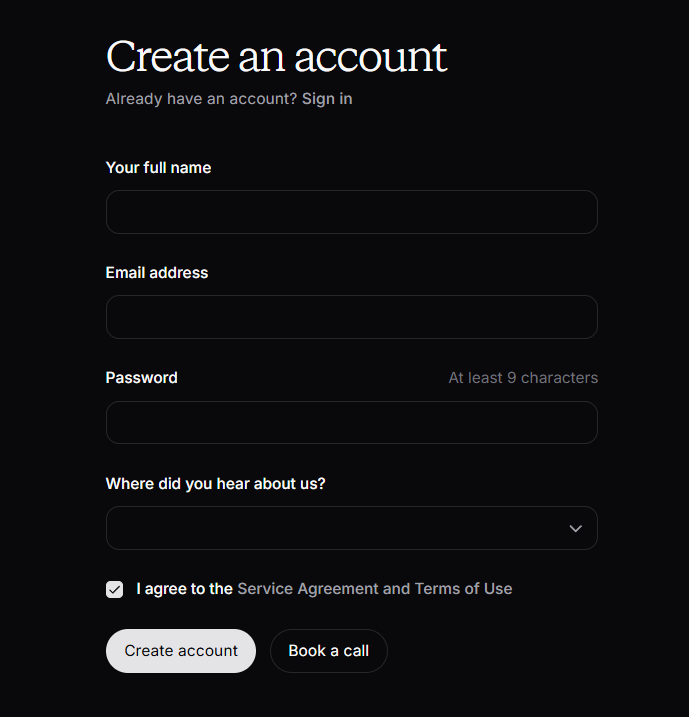
    Floating Label Input

    aka Material Input · Animated Label

    Screenshot of stripe.comstripe.com

    The label sits inside the field at rest, then floats up on focus.

    When to use

    Forms where you want elegance over density. Avoid in admin tools. Eats vertical space.

    Anatomy

    • Field 56px tall
    • Label absolute, transitions on focus / has-value
    • Bottom-border or full-border variant

    How the industry does it

    1 examples · credited

    Prompt

    Build a floating-label text input. 56px tall, rounded-xl, background rgba(255,255,255,0.03), 1px border rgba(255,255,255,0.08). The label sits at the vertical center at rest in ink-400; on focus or when the input has a value, it animates to the top-left, shrinks to 11px, and lifts above the field's visual baseline. Smooth 180ms cubic-bezier transitions. On focus the border brightens to rgba(255,255,255,0.24). Include error state with a red 1px border and an inline message below the input.

    Polish & tuning

    2 of 4 unlocked

    Motion

    Ease-out for entrance, ease-in-out for state. 200ms hover, 400–600ms layout. Stagger children at 30–60ms so groups feel intentional, not synchronized.

    Spacing

    Pick one scale (4 or 8) and don't mix. Section padding 96–128px desktop, 48–64px mobile. Headline sits ~24px above the subhead; subhead ~32px above the CTA cluster.
    Pro

    Unlock the rest of the tuning notes.

    Buy Pro
  • Variation 02

    Multi-Step Form

    aka Wizard · Stepper Form

    Screenshot of typeform.comtypeform.com

    Break long forms into small, trackable steps with a clear progress indicator.

    When to use

    Anything >7 fields. Especially onboarding and checkout.

    Anatomy

    • Stepper bar (numbered or progress)
    • Step content area with enter/exit transitions
    • Back / Continue buttons fixed at bottom

    How the industry does it

    1 examples · credited

    Prompt

    Preview · Pro to copy
    Pro

    Unlock the full prompt.

    Buy Pro

    Polish & tuning

    2 of 4 unlocked

    Motion

    Ease-out for entrance, ease-in-out for state. 200ms hover, 400–600ms layout. Stagger children at 30–60ms so groups feel intentional, not synchronized.

    Spacing

    Pick one scale (4 or 8) and don't mix. Section padding 96–128px desktop, 48–64px mobile. Headline sits ~24px above the subhead; subhead ~32px above the CTA cluster.
    Pro

    Unlock the rest of the tuning notes.

    Buy Pro
  • Variation 03

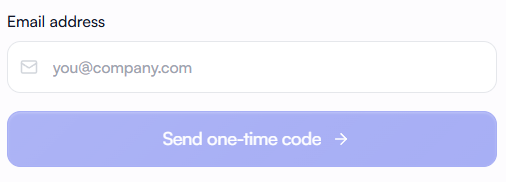
    Inline-Validated Input

    aka Live Validation · On-Blur Validation

    Screenshot of stripe.comstripe.com

    Input that validates as the user types or on blur. Green check for valid, inline message for invalid.

    When to use

    Signup and checkout where users need to be told fast. Validate on blur, not on every keystroke, to avoid blaming the user mid-thought.

    Anatomy

    • Trailing icon slot in input (check / x)
    • Inline error message below input
    • Validate on blur, debounce 200ms on async checks
    • Aria-live for screen readers

    Prompt

    Build an inline-validated input. Standard rounded-lg input with a trailing icon slot that renders a small check (success), x (error), or spinner (validating). Validate on blur for sync rules; async validation (e.g. email availability) debounces 200ms after typing pauses. On error, the border turns danger color and a 12px message renders beneath the input with role='alert'. On success, the border stays neutral but the trailing icon shows the check.

    Polish & tuning

    2 of 4 unlocked

    Motion

    Ease-out for entrance, ease-in-out for state. 200ms hover, 400–600ms layout. Stagger children at 30–60ms so groups feel intentional, not synchronized.

    Spacing

    Pick one scale (4 or 8) and don't mix. Section padding 96–128px desktop, 48–64px mobile. Headline sits ~24px above the subhead; subhead ~32px above the CTA cluster.
    Pro

    Unlock the rest of the tuning notes.

    Buy Pro
  • Variation 04

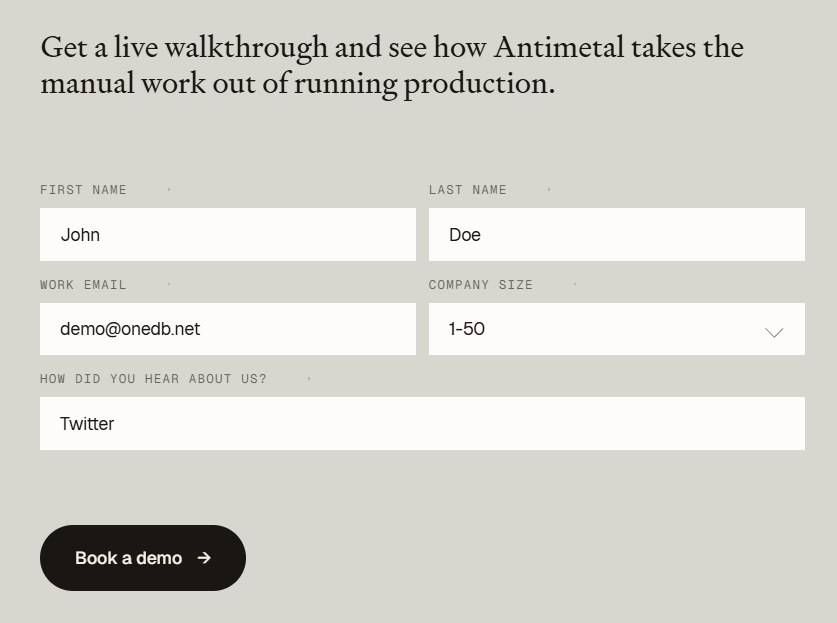
    Combobox / Searchable Select

    aka Autocomplete Select · Search Dropdown

    Screenshot of github.comgithub.com

    A select replacement with type-to-filter, keyboard nav, and async data loading.

    When to use

    Any select with > 8 options. Native <select> tops out fast on UX.

    Anatomy

    • Trigger button or input that opens a popover
    • Search input inside the popover (auto-focused)
    • Filtered list with arrow-key navigation
    • Selected option pill in the trigger
    • Async loading with empty + loading states

    Prompt

    Build a combobox using Radix Popover + cmdk (or a comparable headless primitive). Trigger renders the selected option (or 'Select…') with a chevron. Open shows a popover anchored to the trigger with a search input at the top (autofocus on open), and a virtualized list of options below. Each option has a leading icon or avatar, label, and optional muted subtitle. Arrow keys cycle, Enter selects, Esc closes. Pluggable async loader: while pending show a spinner row, on empty show 'No matches'.

    Polish & tuning

    2 of 4 unlocked

    Motion

    Ease-out for entrance, ease-in-out for state. 200ms hover, 400–600ms layout. Stagger children at 30–60ms so groups feel intentional, not synchronized.

    Spacing

    Pick one scale (4 or 8) and don't mix. Section padding 96–128px desktop, 48–64px mobile. Headline sits ~24px above the subhead; subhead ~32px above the CTA cluster.
    Pro

    Unlock the rest of the tuning notes.

    Buy Pro
  • Variation 05

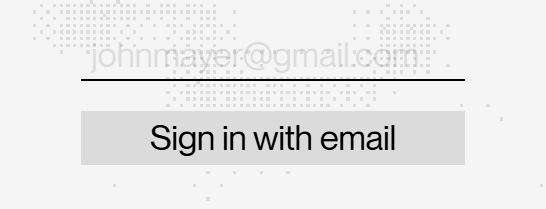
    Tag Multi-Select

    aka Token Input · Chip Input

    Screenshot of linear.applinear.app

    Input that lets the user select multiple values rendered as removable chips inside the field.

    When to use

    Tags, recipients, multi-assignee selectors, label pickers. Anywhere a query has multiple values.

    Anatomy

    • Field renders selected chips inline + caret input
    • Backspace removes the last chip when input is empty
    • Dropdown filter by typing
    • Create-new option if value isn't found

    Prompt

    Build a tag multi-select. The field renders as a flex-wrap row of removable chips followed by a caret input. Each chip has a label + 'x' button. Backspace on empty input removes the last chip. Focusing the input opens a popover with filterable options; pressing Enter on a typed value not in the list shows a 'Create "{value}" +' row. Selected options remain visible at the top of the dropdown with a check. ArrowUp/Down cycles, Esc closes.

    Polish & tuning

    2 of 4 unlocked

    Motion

    Ease-out for entrance, ease-in-out for state. 200ms hover, 400–600ms layout. Stagger children at 30–60ms so groups feel intentional, not synchronized.

    Spacing

    Pick one scale (4 or 8) and don't mix. Section padding 96–128px desktop, 48–64px mobile. Headline sits ~24px above the subhead; subhead ~32px above the CTA cluster.
    Pro

    Unlock the rest of the tuning notes.

    Buy Pro
  • Variation 06

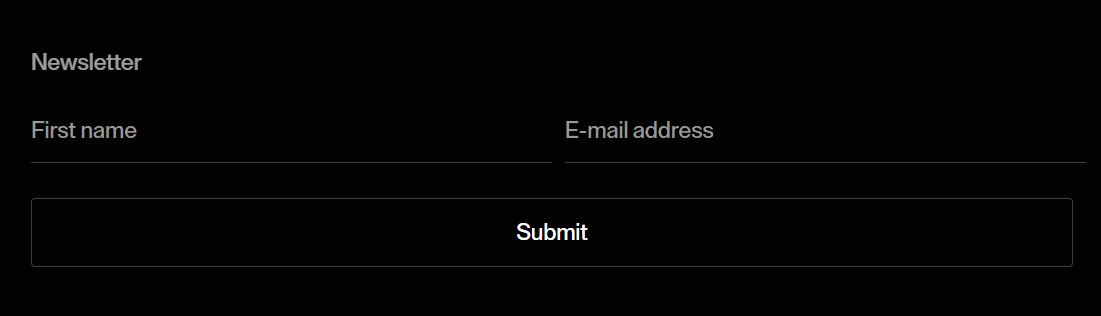
    Date Range Picker

    aka Date Range Selector · Date Picker

    Screenshot of linear.applinear.app

    Calendar-based picker for selecting a start + end date, with preset shortcuts.

    When to use

    Anywhere users filter by time: analytics, reports, bookings. Always include presets. Most users want '7d' not 'May 20–May 27'.

    Anatomy

    • Trigger button with current range label
    • Popover with two months side-by-side
    • Presets column on the left (Today, 7d, 30d, Custom)
    • Range paints between selected dates on hover
    • Keyboard nav with arrow keys

    Prompt

    Preview · Pro to copy
    Pro

    Unlock the full prompt.

    Buy Pro

    Polish & tuning

    2 of 4 unlocked

    Motion

    Ease-out for entrance, ease-in-out for state. 200ms hover, 400–600ms layout. Stagger children at 30–60ms so groups feel intentional, not synchronized.

    Spacing

    Pick one scale (4 or 8) and don't mix. Section padding 96–128px desktop, 48–64px mobile. Headline sits ~24px above the subhead; subhead ~32px above the CTA cluster.
    Pro

    Unlock the rest of the tuning notes.

    Buy Pro
  • Variation 07

    File Drop Zone

    aka Drag-and-Drop Upload · Dropzone

    Screenshot of vercel.comvercel.com

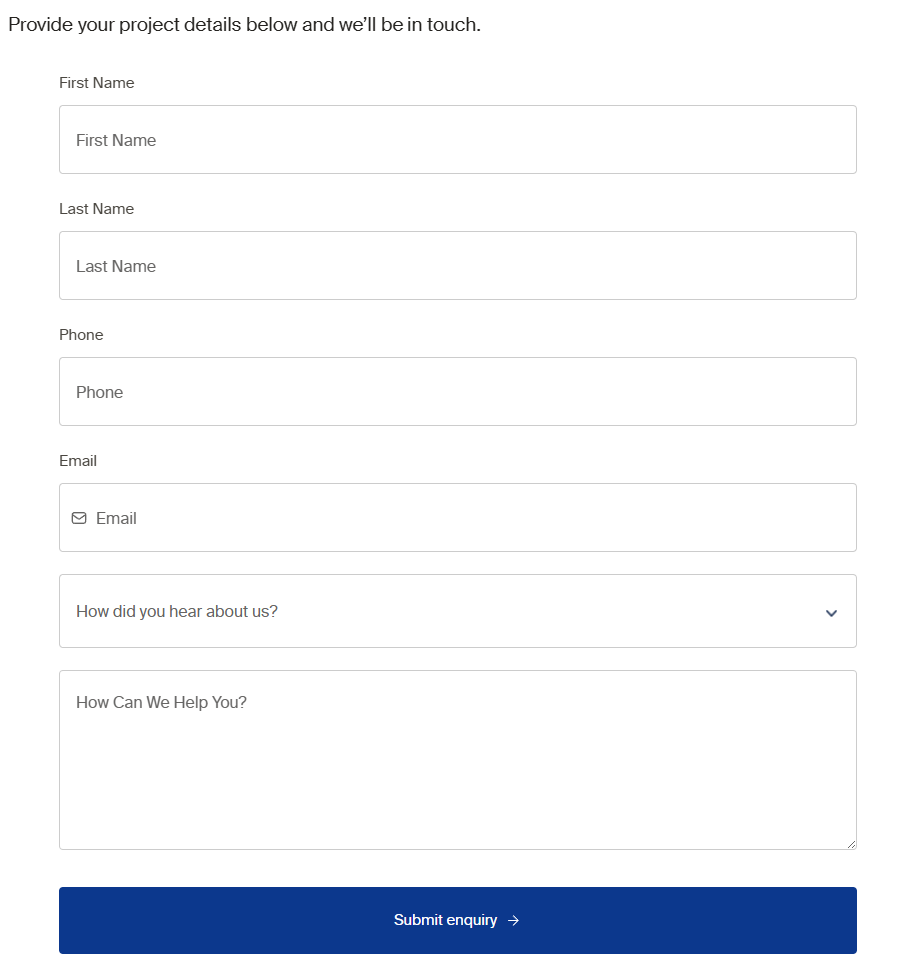
    A bordered area accepting drag-and-drop file uploads, with click-to-browse fallback and per-file progress.

    When to use

    Any upload UI heavier than a single avatar. Show preview thumbnails and per-file progress for trust.

    Anatomy

    • Dashed border container with icon + copy
    • Highlight border on dragenter
    • List of uploading files below with progress + cancel
    • Click anywhere on the zone opens file picker
    • Validation: type, size, count

    Prompt

    Build a file drop zone. Bordered (2px dashed line) rounded-2xl container, min-height 180px, centered icon + 'Drop files here or click to browse' copy. On dragenter, the border solidifies and turns accent color. Files dropped or selected via the hidden <input type=file> appear below the zone as a list. Each row shows file name, size, a progress bar that fills as the file uploads, and an 'x' cancel. Validate type (accepted MIME list) and size; show inline error per offending file.

    Polish & tuning

    2 of 4 unlocked

    Motion

    Ease-out for entrance, ease-in-out for state. 200ms hover, 400–600ms layout. Stagger children at 30–60ms so groups feel intentional, not synchronized.

    Spacing

    Pick one scale (4 or 8) and don't mix. Section padding 96–128px desktop, 48–64px mobile. Headline sits ~24px above the subhead; subhead ~32px above the CTA cluster.
    Pro

    Unlock the rest of the tuning notes.

    Buy Pro
  • Variation 08

    Address Autocomplete

    aka Google Places Field · Geosearch Input

    Screenshot of stripe.comstripe.com

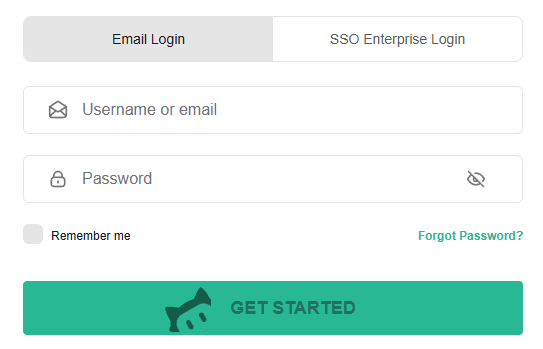
    An input that suggests real addresses as the user types, then fills structured fields underneath.

    When to use

    Checkout, signup, and any shipping/billing flow. Reduces error rates dramatically.

    Anatomy

    • Search-style single input with magnifier icon
    • Predictions popover under the input
    • On select: line1, city, state, postal, country fields fill in
    • Manual override link if predictions don't match

    Prompt

    Build an address autocomplete field. A search-style input with a leading map-pin icon and 'Start typing your address' placeholder. As the user types, debounce 180ms and call the Google Places autocomplete endpoint, rendering a popover list of predictions below the input. Each prediction: street primary line in 14px, locality in 13px muted. On select, fetch the place details and populate the line1, line2, city, state, postal, and country inputs that live just beneath the autocomplete in the form. Add a small 'Enter manually →' link to skip autocomplete.

    Polish & tuning

    2 of 4 unlocked

    Motion

    Ease-out for entrance, ease-in-out for state. 200ms hover, 400–600ms layout. Stagger children at 30–60ms so groups feel intentional, not synchronized.

    Spacing

    Pick one scale (4 or 8) and don't mix. Section padding 96–128px desktop, 48–64px mobile. Headline sits ~24px above the subhead; subhead ~32px above the CTA cluster.
    Pro

    Unlock the rest of the tuning notes.

    Buy Pro
  • Variation 09

    Phone Number Input

    aka E.164 Input · Country-Code Phone

    Screenshot of stripe.comstripe.com

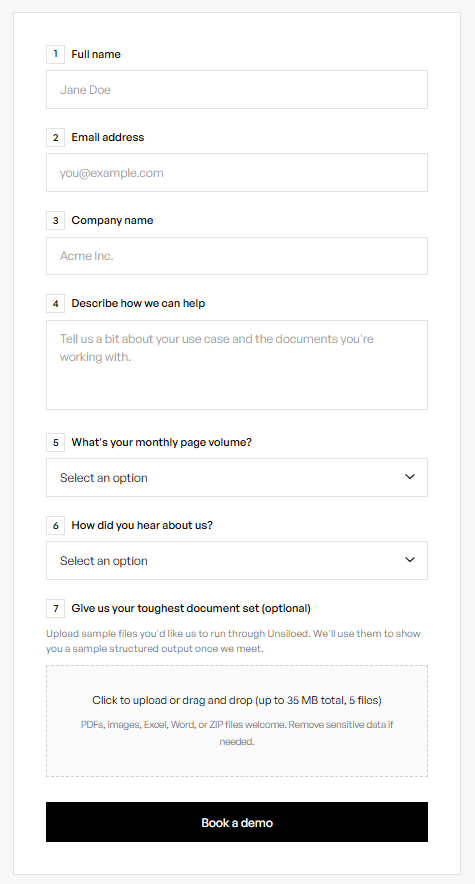
    Phone input with a country-code select on the left and automatic formatting as the user types.

    When to use

    Anywhere you collect phone numbers - SMS, 2FA, contact forms. Always normalize to E.164 before storing.

    Anatomy

    • Country select on the left (flag + dial code)
    • National-format input on the right
    • Auto-detect country from IP on mount
    • E.164 value emitted to the form
    • Validate via libphonenumber

    Prompt

    Build a phone number input using libphonenumber-js. Left side: a small button with the selected country's flag emoji + dial code; click opens a searchable country list popover. Right side: the local-number input that auto-formats as the user types based on the selected country. The component emits the E.164 representation as its onChange value. On mount, attempt to default the country via the browser's locale or a /api/geo endpoint. Show inline validation on blur (invalid number → border + message).

    Polish & tuning

    2 of 4 unlocked

    Motion

    Ease-out for entrance, ease-in-out for state. 200ms hover, 400–600ms layout. Stagger children at 30–60ms so groups feel intentional, not synchronized.

    Spacing

    Pick one scale (4 or 8) and don't mix. Section padding 96–128px desktop, 48–64px mobile. Headline sits ~24px above the subhead; subhead ~32px above the CTA cluster.
    Pro

    Unlock the rest of the tuning notes.

    Buy Pro
  • Variation 10

    Signature Pad

    aka Draw to Sign · Canvas Sign

    Screenshot of docusign.comdocusign.com

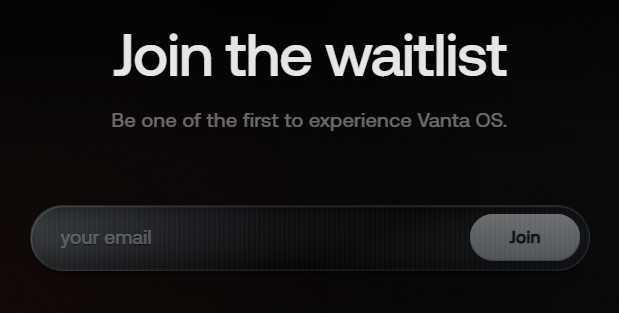
    A canvas area users can sign in with mouse, trackpad, or touch. Saved as an image for receipts and contracts.

    When to use

    Contract acceptance, delivery confirmation, sign-here checkout. Pair with a typed-name fallback.

    Anatomy

    • Bordered canvas, ~480 × 160
    • 'Sign here' watermark in the center
    • Clear button
    • Tabs to switch between Draw / Type / Upload
    • Output as a data URL or PNG

    Prompt

    Preview · Pro to copy
    Pro

    Unlock the full prompt.

    Buy Pro

    Polish & tuning

    2 of 4 unlocked

    Motion

    Ease-out for entrance, ease-in-out for state. 200ms hover, 400–600ms layout. Stagger children at 30–60ms so groups feel intentional, not synchronized.

    Spacing

    Pick one scale (4 or 8) and don't mix. Section padding 96–128px desktop, 48–64px mobile. Headline sits ~24px above the subhead; subhead ~32px above the CTA cluster.
    Pro

    Unlock the rest of the tuning notes.

    Buy Pro